







Summary created by Smart Answers AI
In summary:
- Macworld reports that Apple’s iPhone Camera app is getting a major redesign in iOS 27, featuring customizable, modular controls similar to Control Center.
- The current Camera app frustrates users with its cluttered interface, hidden manual controls, and confusing duplicate buttons, forcing professionals to rely on third-party apps.
- This timely update coincides with the iPhone 18 Pro’s new variable-aperture lens and aims to satisfy both casual users and professional photographers.
For years, Apple has sold the iPhone as one of the best smartphone cameras you can buy. And honestly, it’s not wrong. The image quality is excellent, video recording remains unmatched, and features like ProRAW show just how capable modern iPhones have become.
But despite all that progress, I’ve slowly started to hate actually taking photos with my iPhone. Not because the cameras are bad. Quite the opposite. My iPhone’s camera is so good it highlights the actual problem: the Camera app itself.
Apple’s camera hardware keeps getting more advanced every year, yet the software experience still feels limited, cluttered, and sometimes even frustrating. Basic controls are hidden behind gestures, manual settings barely exist, and users who want more control are still pushed toward Halide and other third-party apps just to unlock the full potential of the hardware.
Luckily, the latest rumors suggest that a fix for all of this is on the way.
The Camera app is a mess
Apple has always prioritized a “point-and-shoot” experience for the iPhone’s Camera app. Instead of offering complex controls, Apple’s Camera app has always focused on being simple and intuitive. For years, all users had to do was choose between taking a photo and recording a video.
But the iPhone’s hardware has evolved considerably over the years, bringing with it many new camera-related features. These include features such as HDR, filters, ProRAW, Portrait Mode, Spatial Photos, and much more.

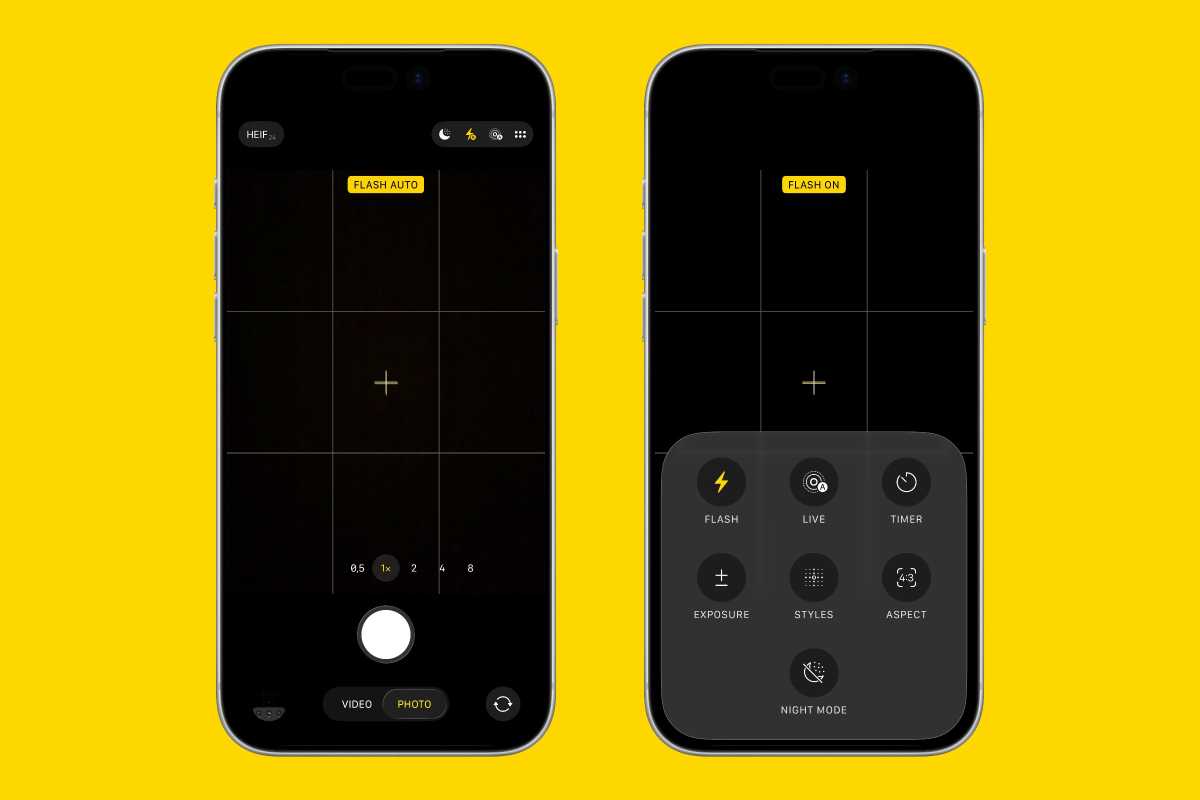
The iOS Camera app is too confusing for casual users and not intuitive enough for high-end photographers.
Foundry
Some of the controls for these features are located on the top toolbar, while others are hidden behind swipe-up gestures that most users don’t even know exist. Switching between formats, resolutions, timers, and other settings often requires multiple taps, not to mention the ones buried in the Settings app.
There are also duplicate buttons with different functions, which can confuse even seasoned photographers, let alone casual photo takers. For instance, the flash button at the top of the screen only toggles between automatic and off. If you want to keep the flash on all the time, you need to swipe up and tap the flash button from the controls menu.
At the same time, the Camera app’s tab bar has become extremely cluttered. There are now eight different camera modes available on the latest iPhones, and they only become visible once you tap the tab bar and start swiping.
If you’re a pro user, finding the right tools is harder than ever. And if you’re a regular user, you’ll probably never even know that certain iPhone camera features exist.
Pro iPhone users deserve a Pro Camera app
Every year, when Apple introduces a new iPhone, it showcases how professional photographers and videographers are using the iPhone for serious work. However, these users rely on third-party tools, which are often paid apps, to unlock the hardware’s full potential.
The iPhone’s native Camera app still lacks many of the basic manual controls that photography enthusiasts now expect. If you want to control simple things such as shutter speed or ISO settings, you’ll have to download a different camera app (Halide, Kino, Blackmagic Camera, etc.).
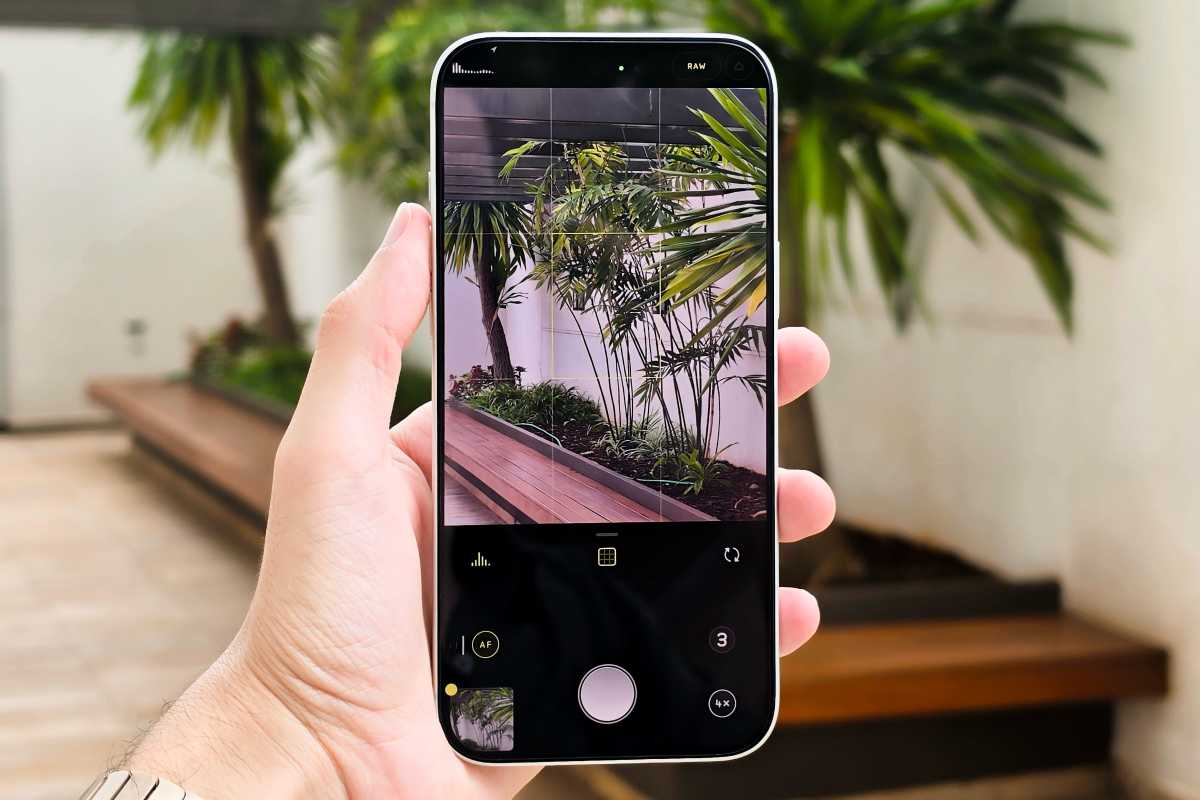
Third-party apps like Halide make taking photos much more powerful and intuitive.
Foundry
Of course, Apple isn’t expected to cover every single feature within its own Camera app, but even the basics are missing. This has become increasingly hard to ignore as Apple has promoted the iPhone as a professional camera.
The company increasingly embraces customization across iOS, iPadOS, and macOS. Users can customize the Control Center, Lock Screen, Home Screen, widgets, Action buttons, and even app layouts. But the Camera app still behaves as if Apple thinks every user wants the exact same experience.
A modular Camera app might be on the way
Once again, it’s understandable that not every user needs access to certain settings or features, but the Camera app should at least give users the option to include or exclude these toggles from the main interface.
Thankfully, it seems like Apple has been working on a redesigned Camera app for the iPhone with iOS 27, which could be announced as early as WWDC on June 8.
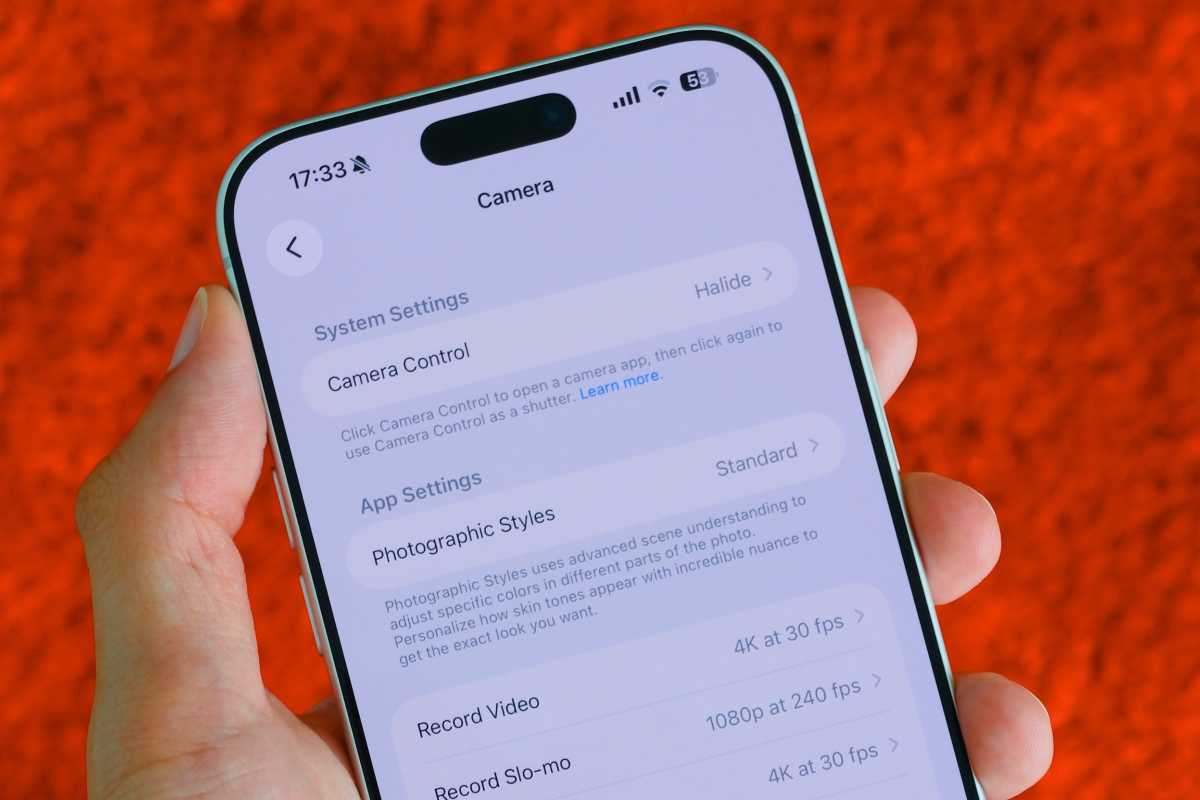
iOS 27 will reportedly move some of the Camera’s app features out of the Settings app.
Foundry
According to a recent Bloomberg report, the Camera app will become much more modular. Users will be able to add or remove toggles from the Camera app, similar to how they can currently edit the toggles in Control Center. That alone would make the Camera app a lot better.
Imagine opening the Camera app and only seeing the tools you actually use. A cleaner interface for casual users. A more advanced layout for enthusiasts. Fast access to manual exposure controls without needing a separate app.
Coupled with the latest iPhone rumors, the timing of this long-awaited update makes perfect sense. The latest reports on the iPhone 18 Pro suggest that the handset will feature a variable-aperture lens for the first time, allowing the camera to physically adjust the amount of light entering the sensor.
If true, the current Camera app may not be enough, or it could become even more cluttered with another new hardware feature to deal with. A redesign would be a timely move to accommodate this major change coming with the iPhone 18 Pro’s camera.
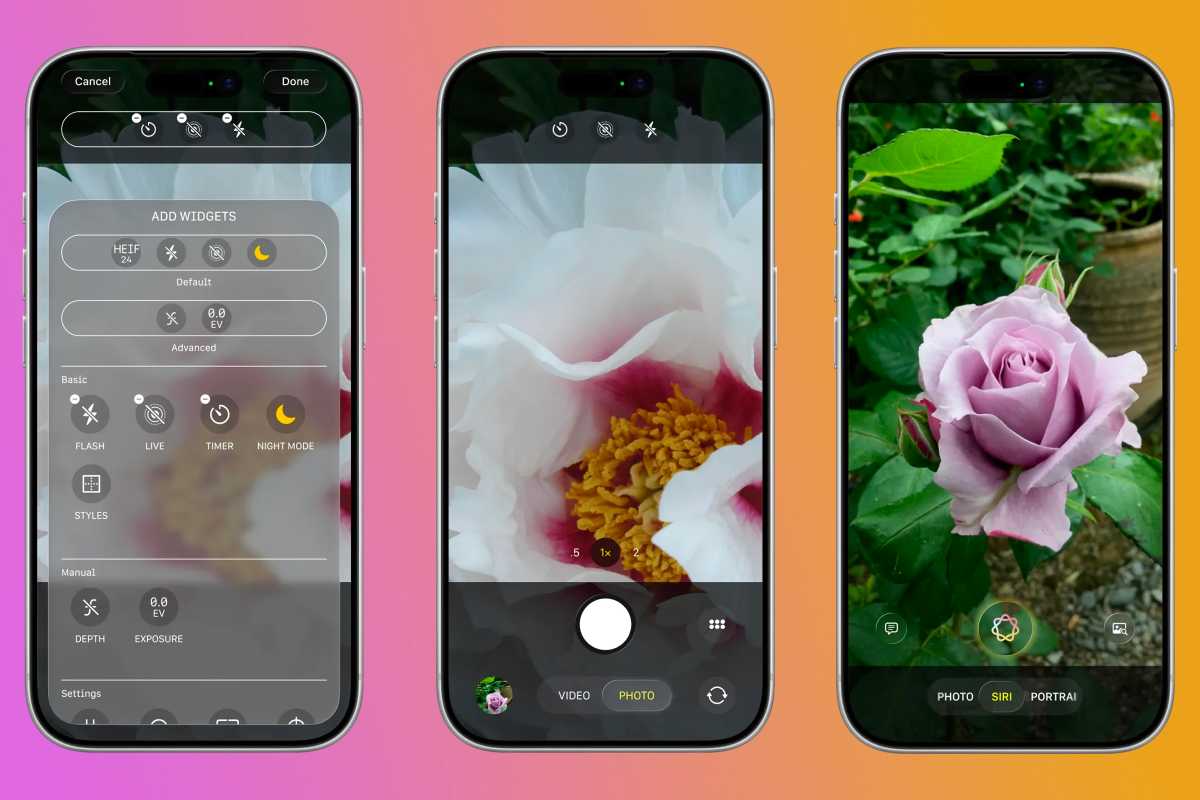
The Camera will reportedly get a major upgrade in iOS 27.
Bloomberg
A simple but powerful upgrade
To be clear, Apple doesn’t need to overwhelm casual users with dozens of professional controls the moment they open the Camera app. Part of the iPhone’s success comes from how easy it is to point, shoot, and get excellent results.
But Apple also needs to please its pro users, many of whom rely on the iPhone’s camera for their livelihoods. It’s a tricky balance, but if the new Camera app in iOS 27 lets users customize the interface with the controls they need most, that might be enough to make everyone enjoy taking photos with the iPhone again.
I love my iPhone’s camera, but whenever I snap a photo with the Camera app, it feels like I’m being hindered by Apple’s own tools. And I can’t wait to see how the next version of iOS will change that.


