









Privacy isn’t something most people think about until they actually need it.
You connect to airport Wi-Fi, and the banking app suddenly feels risky. Your ISP throttles Netflix during peak hours. A show you pay for is geo-blocked for no clear reason. These situations happen far more often now than most people realise.
VPNs solve most of these problems without requiring technical knowledge. Surfshark VPN has built a solid reputation over the past few years, especially for users who want real privacy without spending a lot. This review covers what it actually delivers in 2026.
What Is Surfshark?
Surfshark is a VPN and cybersecurity company founded in 2018. It grew from a privacy-focused startup into one of the most-downloaded VPN services globally, and the main reason people stay is its unlimited device policy.
The core product does three things: hides your IP address, encrypts your internet traffic, and lets you appear to browse from a different country. That covers what most everyday users actually need.
- One account covers unlimited devices, no cap per plan
- No-logs policy independently audited by Cure53, a German cybersecurity firm
- Apps that work well even for first-time VPN users
- Servers in 100+ countries across 3,200+ locations
Surfshark has since added antivirus and a data breach scanner through the “Surfshark One” bundle. But the VPN itself is what most subscribers are here for.
How Surfshark VPN Works

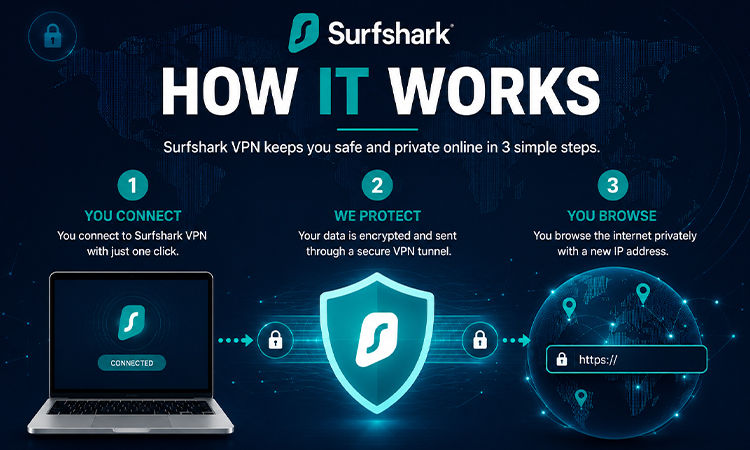
Every time you connect to Surfshark, your traffic runs through an encrypted tunnel before reaching the internet. Websites and services only see the VPN server’s IP address, not yours.
| Protocol | What’s Best For |
| WireGuard | Speed and everyday use |
| OpenVPN | Reliability on older or specialized devices |
| IKEv2 | Mobile connections that switch between networks |
WireGuard is the default on most devices and handles most use cases well. The app picks the protocol automatically, but you can switch it manually in settings.
One thing many users don’t notice: a lot of VPN speed complaints come from users running OpenVPN when WireGuard would perform noticeably better. If the connection feels slow, checking the protocol setting is an easy first step.
Useful Features Beyond Basic VPN Protection
Surfshark isn’t just a basic VPN connection tool. The feature set is more complete than most services in this price range.
Unlimited Device Connections: Most VPN providers cap connections at five to eight devices per account. Surfshark has no limit. One subscription covers your phone, laptop, tablet, TV, and your family’s devices all at the same time.
CleanWeb is a built-in blocker for ads and trackers. It operates at the DNS level, so ads get blocked before they load rather than being filtered after. Pages load slightly faster because the browser isn’t downloading ad resources that then get hidden.
Kill Switch: If the VPN drops mid-session, Kill Switch cuts your internet connection immediately. Your real IP address never accidentally shows up during a dropped connection.
MultiHop (Double VPN) Routes traffic through two VPN servers instead of one. Slower, but much harder to trace. Mostly useful for users who are especially concerned about online surveillance or privacy.
Split Tunneling: Choose which apps go through the VPN and which use your regular connection. Practical for situations where your banking app needs a local connection while your browser stays private.
NoBorders Mode and Camouflage Mode: NoBorders detects restricted networks and switches to obfuscated servers automatically. It’s built for users in countries where certain sites or services are blocked at the network level.
Camouflage Mode makes VPN traffic look like regular HTTPS traffic. This is specifically useful in regions where VPN connections themselves get flagged and blocked.
Security and Privacy
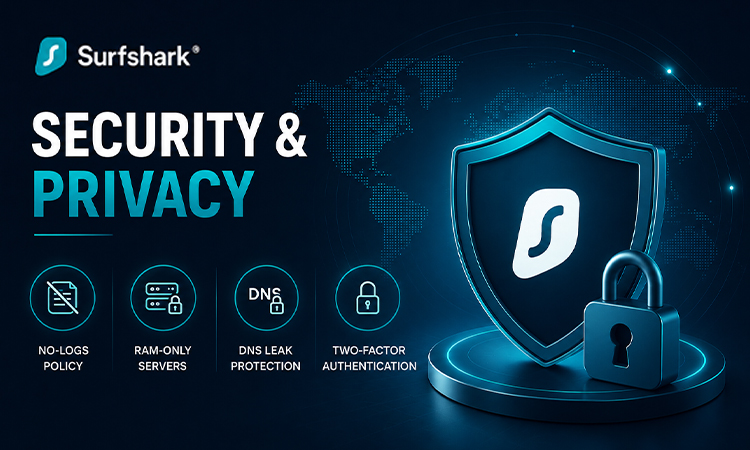
Surfshark uses AES-256 encryption, the same standard used in banking and government communications. Right now, AES-256 encryption is considered extremely secure for everyday use.
Key privacy features:
- No-logs policy: connection records, browsing data, and IP addresses are not stored
- RAM-only servers: data does not persist on hardware and clears every time a server restarts
- DNS leak protection: your ISP cannot see DNS queries while the VPN is active
- Two-factor authentication is available for your Surfshark account
The no-logs policy has been audited by Cure53, a well-regarded independent cybersecurity firm based in Germany. Many VPN providers make privacy claims, but very few allow independent audits to verify them. Surfshark has published the audit results, which put those claims on much firmer ground.
Streaming and Gaming
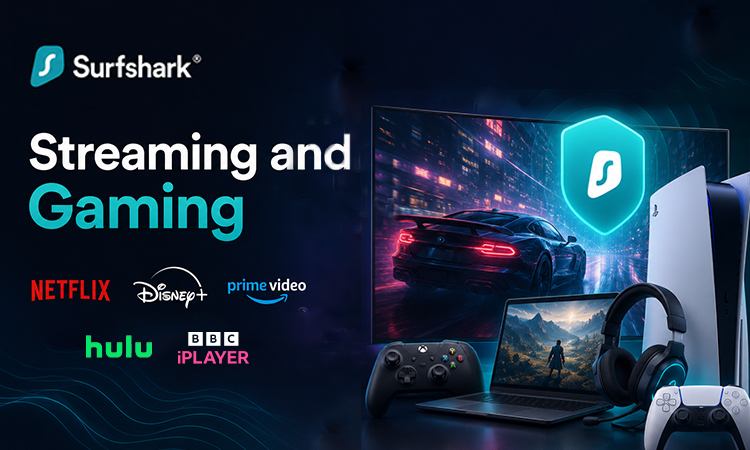
Surfshark is compatible with most major platforms:
| Platform | Works with Surfshark |
| Netflix | Yes, including multiple regional libraries |
| Disney+ | Yes |
| Amazon Prime Video | Yes |
| BBC iPlayer | Yes |
| Hulu | Yes |
Not every server unblocks every platform consistently. Switching to a different server in the same country usually resolves it when one doesn’t work. Surfshark’s support team is generally responsive to these kinds of server-specific issues.
For gaming, the practical benefits are:
- Hides your IP from DDoS attempts
- Bypasses ISP throttling during peak hours
- Let’s you access region-locked titles before the local release date
WireGuard keeps latency manageable on nearby servers for most competitive games. Using a server on the other side of the world will add noticeable lag, but that’s true for any VPN service.
Plans and Pricing
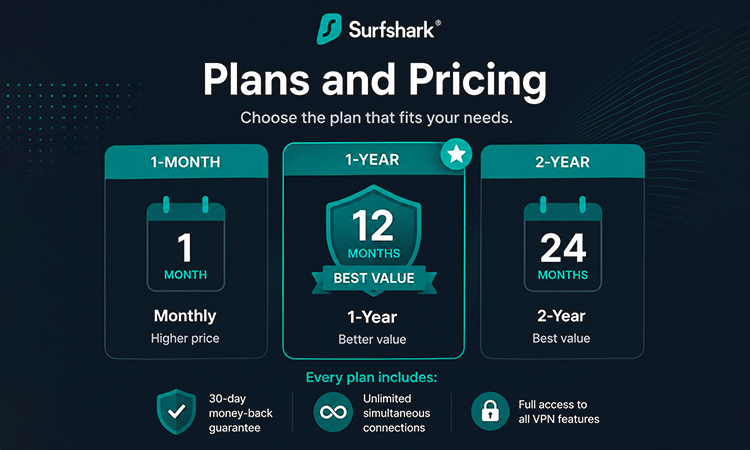
Surfshark offers three plan lengths: monthly, 1-year, and 2-year. Monthly pricing is on the higher side, which is fairly standard across the VPN industry. The longer plans bring the per-month cost down considerably and are where Surfshark becomes much more affordable.
Every plan includes:
- 30-day money-back guarantee
- Unlimited simultaneous connections
- Full access to all VPN features
“Surfshark One” adds antivirus protection, a private search engine, and a real-time data breach scanner for a small additional cost on top of the standard plan.
Current pricing and active deals are listed at surfshark.com. Promotions change often, so third-party listings aren’t always accurate.
Pros and Cons
| What Works | What Doesn’t |
| Unlimited devices on one plan | The monthly plan is expensive |
| AES-256 encryption with third-party audited privacy | Speeds on distant servers drop noticeably |
| Unblocks major streaming platforms reliably | MultiHop and NoBorders may overwhelm new users |
| Clean, beginner-friendly apps on all platforms | Customer support response times vary |
| Works in restricted regions via obfuscation | Obfuscation servers run slower than standard ones |
| 30-day refund policy with no major conditions | Refund requires contacting support, no self serve option |
Conclusion
Surfshark is one of the more well-rounded VPN services available right now, particularly for users managing multiple devices. The unlimited device policy alone puts it ahead of most competitors at a similar price point, and the Cure53 audit gives the privacy claims actual credibility rather than just marketing language.
Monthly pricing is genuinely expensive, and speeds vary depending on how far the server is from your location. On a yearly or two-year plan, though, it competes well against services that cost significantly more.
The 30-day Refund policy removes the risk. Testing it on your actual connection and devices is the most practical way to know if it works for you.
Frequently Asked Questions
Q1. Is Surfshark safe to use?
Yes. AES-256 encryption, RAM-only servers, and a no-logs policy verified by Cure53 put it among the more trustworthy VPN options in the market.
Q2. Is using a VPN legal?
In most countries, yes. The US, UK, Europe, Canada, India, and Australia all allow VPN use. A small number of countries restrict or prohibit them. Check your local laws if you’re not sure.
Q3. Will Surfshark slow my internet?
Slightly, since encryption adds processing overhead. On WireGuard and a nearby server, the difference is small enough that most users won’t notice during streaming or everyday browsing.
Q4. Can it unblock Netflix and other streaming services?
Yes. Surfshark works with Netflix across multiple regional libraries, plus Disney+, Amazon Prime, BBC iPlayer, and Hulu. Individual server results can vary, so switching servers usually fixes any that don’t connect.
Q5. Is it good for gaming?
For most online games, yes. WireGuard keeps latency manageable on nearby servers. The main benefits are DDoS protection and bypassing ISP throttling, rather than reducing your baseline ping.
Q6. How many devices can I connect at the same time?
Unlimited. No device cap on any plan, regardless of what you’re subscribed to.


