



At a Glance
Expert’s Rating
Pros
- Good scanning speed
- Antiviral features do an impressive job of shutting down malware before it’s installed
- Good settings, customizations, and ability to create whitelists as needed
Cons
- Allowed some malware to slip through, which had to be removed with another third-party utility
- Can’t scan .zip archives for viruses
- Norton Safe Web extension provides hit or miss performance
Our Verdict
Norton 360 for Mac offers solid value with fast scans, strong malware-blocking capabilities, and useful customization options like whitelists, making it a good value for its $41.88 price point for the first year. Still, instances such as still being unable to scan .zip archives, occasional malware slipping through, and sporadic Safe Web extension performance show that the developer is more intent on offering the smorgasbord than perfecting what’s on the menu.
Price When Reviewed
This value will show the geolocated pricing text for product undefined
Best Pricing Today
Norton Security (first year, 1 device)
$41.88
Price When Reviewed
Standard (3 devices): $41.88 for first year, usually $94.99 a year; Deluxe (5 devices): $53.88 for first year, usually $119.99 a year
Best Prices Today:
Norton Security (first year, 1 device)
$41.88
Symantec’s latest version of its antivirus security suite also includes a VPN (which we have reviewed here: Norton Ultra VPN review), system cleanup, and privacy-based features depending on the subscription plan you opt for.
Similar to its previous versions, Norton 360 downloads and installs easily and requests permission to access your entire hard drive for file scans, as well as permission to create a new network extension should you decide to use its VPN features.
Take a look to see how Norton 360 compares to the other Mac Antivirus apps we have looked at in our round up of the Best Mac antivirus apps.
While menu navigation in Norton 360 can still feel a little convoluted and take some getting used to, the program still gets to work and does it well.
The application feels more like a suite, offering antiviral tools as well as file cleanup, cloud backup, a Smart Firewall feature, parental controls, intrusion prevention, a Safe Web feature, quarantine, browser extensions, and access to Norton Private Browser, which is based on the open-source Chromium browser. These tools do a good job of warning you away from spam and phishing-based websites, but it’s not perfect and still allowed me to travel to questionable websites that appeared via my Gmail’s Spam folder.
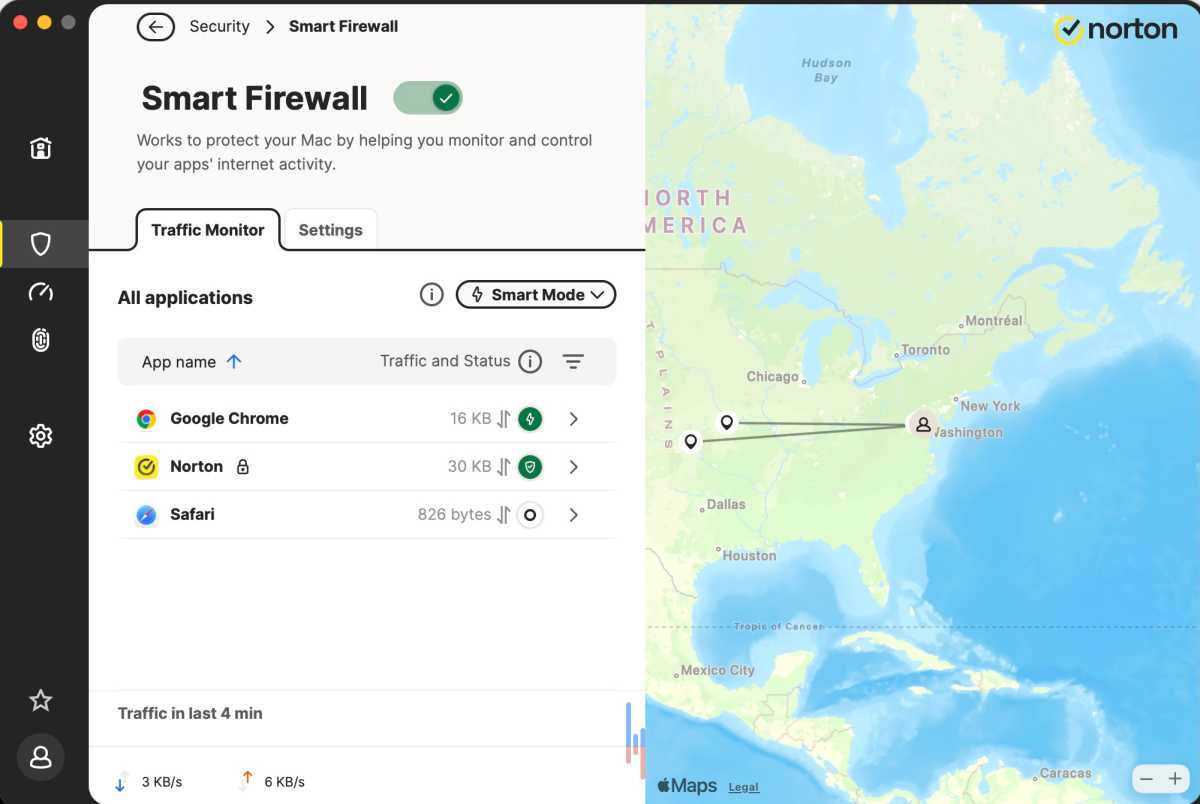
Norton’s Firewall.
Foundry
Where its antiviral core features are concerned, once you’ve assigned the application full access to your Mac’s hard drive and let it go to work, the results are impressive. External volumes were easy to scan and set up to be automatically scanned, with only a few elements, such as AdWind, slipping through in random tests. Quick and Full scans on both internal and external hard drives proved speedy, with Norton 360 offering a handy progress bar and percentage tracker in its user interface, and it was easy to scan specific folders, external volumes, and create whitelists of regions to avoid scanning to save time.
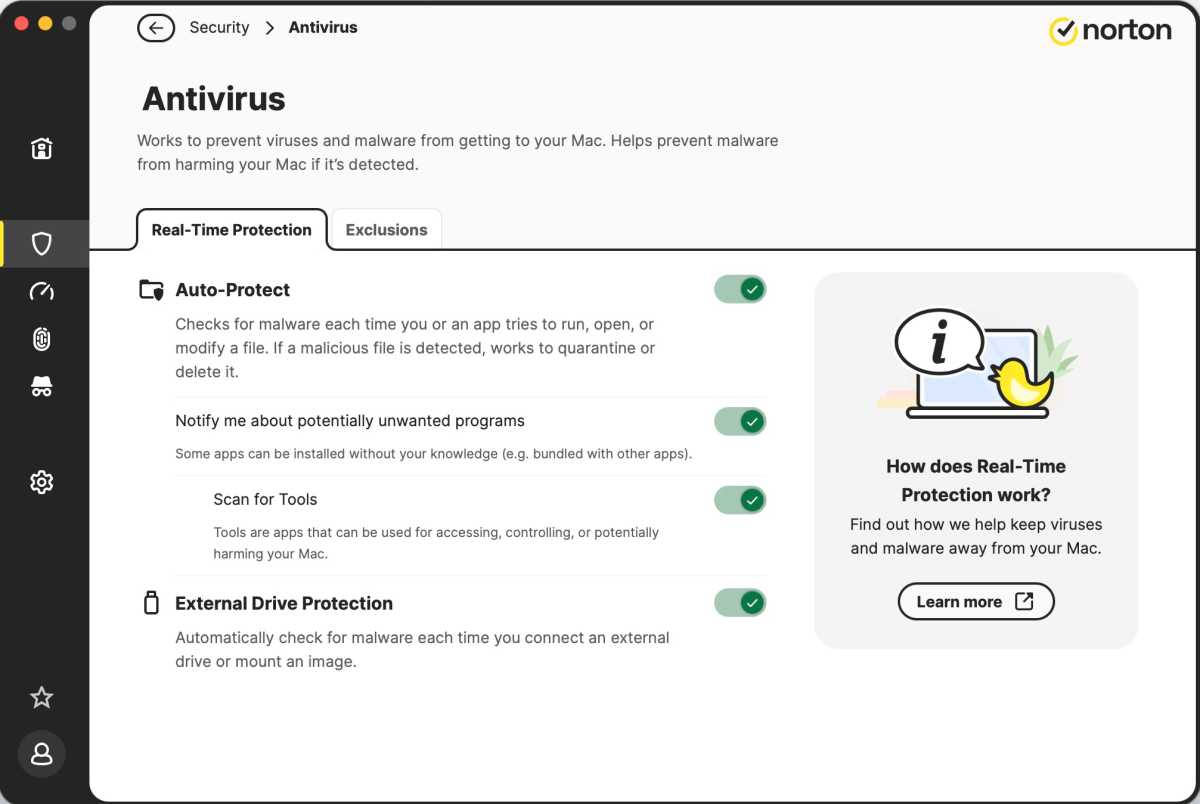
Antivirus protection from Norton.
Foundry
Symantec has been working on and marketing Norton’s privacy tools for several years now, and the offerings are useful, but still decidedly mixed. In addition to its Norton Privacy Browser, which works well but seems limited to a dedicated third-party security browser such as Brave, Norton 360 offers its Safe Web extensions, which can be downloaded and installed for the Google Chrome, Mozilla Firefox, and Microsoft Edge web browsers.
The results of testing with these proved mixed, and the Safe Web extension allowed visits to every spam website tested under Microsoft’s Edge browser, while issuing sporadic warnings and still allowing traffic to questionable websites under the Mozilla Firefox web browser. The Safe Web extension performed the best under the Google Chrome web browser, and both displayed warnings as well as blocked malicious code installation attempts, but still allowed access to some scam-based websites.
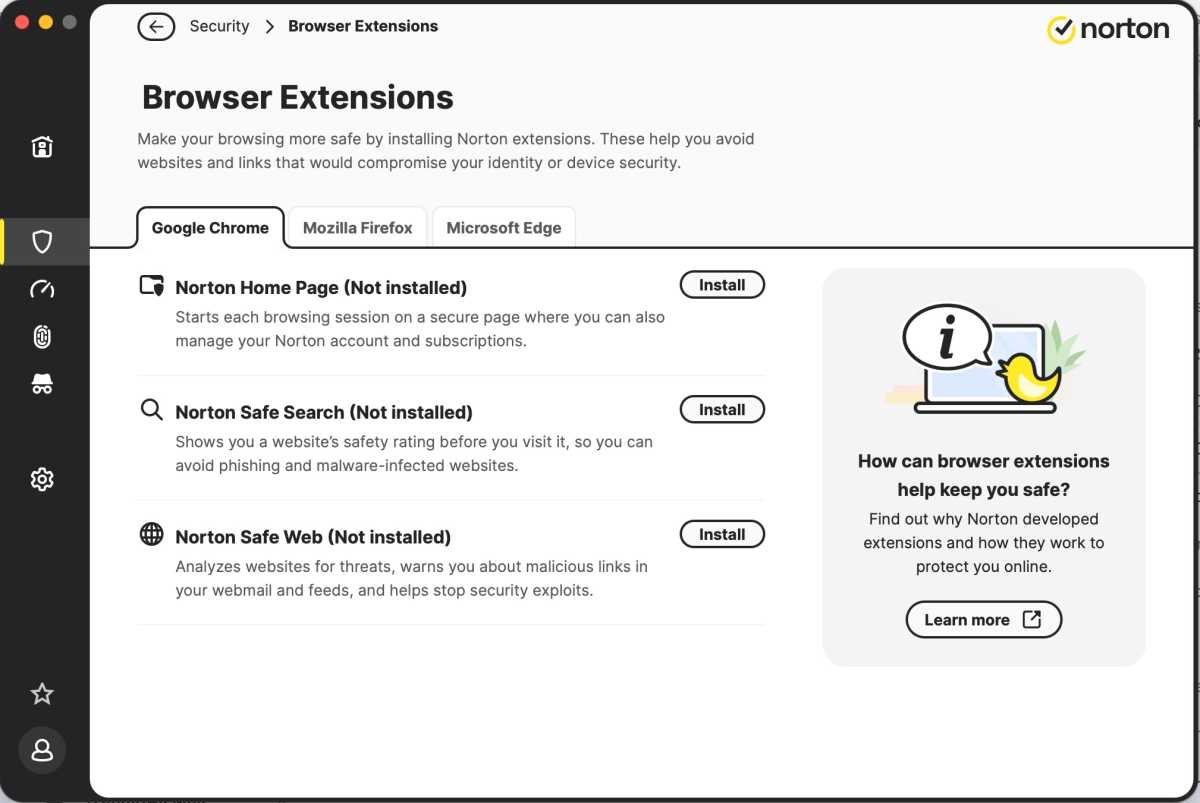
Norton Browser Extensions.
Foundry
Other tools, such as the VPN feature and the File Cleanup module, worked well, even though their offerings were less customizable than specific applications for these tasks. The fact that you can schedule file cleanup for both internal and external volumes came in handy.
- The VPN is more basic than a dedicated client, it’s easy enough to configure your preferred country of origin and initiate a connection. For other VPN options, see our round ups of the best VPN for Mac and best VPN for iPhone and iPad.
- The password manager is reliable and includes a downloadable recovery key, should it be needed, and there’s an admirable level of possible customization on the firewall, albeit you’ll need some technical knowledge going in so as not to get yourself in trouble. We have more Password Managers here: Best Password Manager for Mac and iPhone.
- Intuitive Startup Manager module which offers a range of access to login items without getting too into the weeds.
- The File Cleanup module runs well but doesn’t feel like an original idea anymore, given that this is almost a de facto function for most utility programs these days. The software hunts down gigabytes of extraneous items in Application caches (both system and user), Downloads, and system and user Log Files, then offers a quick means of accessing them, choosing what to delete, and deleting these items. For more Mac cleaners see: Best Mac Cleaners.
- The Dark Web protection module also works well, and a quick scan noted that my information was available on the dark web via an Adobe hack, although I’d changed my password there long ago.
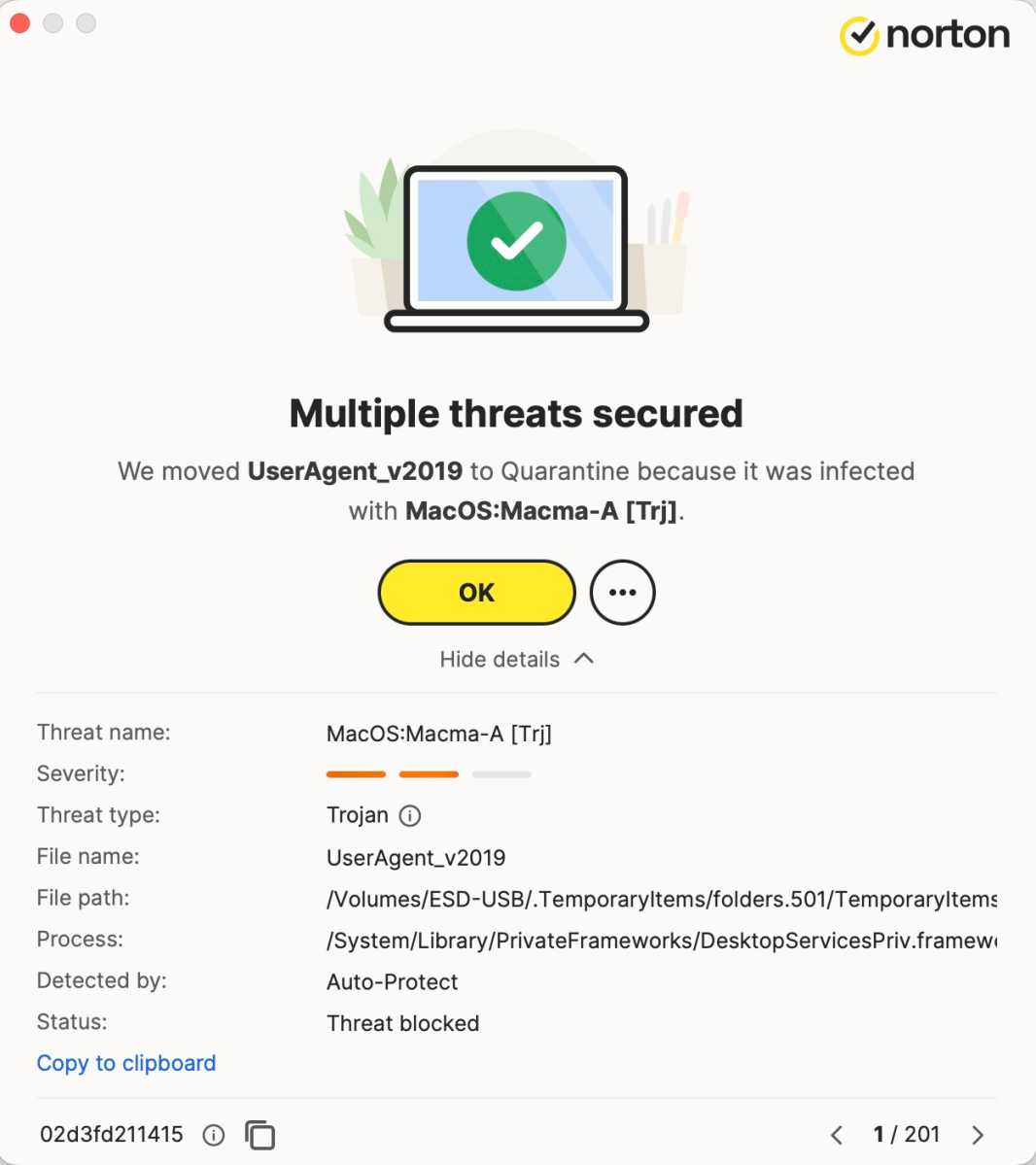
Identifying threats.
Foundry
It’s a question of ambition at times, and while Norton 360 does a great job with its core functions, there are also times when it seems as if Symantec is trying to draw you into its assortment of other services when what you might simply need is a good antivirus program for your Mac. Yes, there’s a good assortment of tools here, but they sometimes sacrifice quality for quantity, and the fact that the Startup Manager feature offered only a surface-level approach as to applications that could be launched when your Mac boots, but didn’t dive under the hood, illustrates this point. Beyond this, the fact that the application still can’t scan .zip archives for viruses, something we specifically highlighted last year, and the fact that the AdWind malware slipped through and had to be removed with another third-party utility, shows that Norton 360’s core feature could still use some more work.
What’s present in this version of Norton 360 is a set of viable tools that’s being driven by a company that’s trying to offer everything at once without truly honing each tool to its full potential. The antivirus elements are good, and Norton 360 effectively slams the door on an incredible amount of potential viral activity, but still lets occasional viruses and malware through.
Its Safe Search extensions are hit or miss, and while its user interface and customization elements are impressive, it’s trying to offer and do everything at once, which hurts the final product. Yes, the cloud backup feature is in better shape compared to previous versions, but there are still things that need attention, Q&A work, and debugging to put the Mac version on par with the Windows offerings.
There’s something good here, and it’s viable as a multi-purpose tool, but it could be better if those tools were everything they could be.
Norton 360 Price
Norton 360, which requires macOS 10.13 (High Sierra) or later to install and run, currently retails from $41.88 a year for the first year to cover up three devices (or £34.99 a year for one device in the U.K. – we aren’t sure why U.S. users are allowed more devices).
It is available as a free 7-day trial in return for your credit and debit card information, and Symantec offers a 60-day money-back guarantee. There is also Norton AntiVirus Plus that covers one device for $29.99 for the first year, but lacks the VPN and Dark Web Monitoring.
Should you buy Norton 360?
Norton 360 for Mac is, at its heart, a viable tool capable of more than just antivirus protection, and its core scanning tools are fast, efficient, and impressive. While it occasionally lets some questionable software through, it still blocks an impressive amount of what’s out there, and additional tools like VPN, parental controls, file cleanup, and cloud backup offer a good deal at $41.88 for the first year for up to three devices.
Even so, Norton 360 can sometimes feel like it’s trying to do too much at once, and its add-on features don’t always match the quality of standalone tools available through other third parties. Its Safe Web extensions, for instance, perform inconsistently depending on the browser, and it still can’t scan .zip archives, something we specifically highlighted last year. Yes, its antiviral elements are solid, but until Symantec pulls its wide assortment of other features in line, this isn’t an absolute must buy for every Mac user.
