

Close Menu

    Subscribe to Updates

    Get the latest creative news from FooBar about art, design and business.

    What's Hot

    CBS News poll finds Iran conflict marked by feelings of uncertainty; most say it’s more difficult than Trump had expected

    European Union grants US request to restrict satellite images of Iran War region

    Apple TV teases ‘Matchbox,’ ‘Neuromancer,’ ‘Dark Matter’

    Facebook X (Twitter) Instagram
    Facebook X (Twitter) Instagram Pinterest VKontakte
    Sg Latest NewsSg Latest News
    • Home
    • Politics
    • Business
    • Technology
    • Entertainment
    • Health
    • Sports
    Sg Latest NewsSg Latest News
    Home»Technology»Latest Android Features You Should Know About
    Technology

    Latest Android Features You Should Know About

    AdminBy AdminNo Comments2 Mins Read
    Facebook Twitter Pinterest LinkedIn Tumblr Email
    Share
    Facebook Twitter LinkedIn Pinterest Email


    Google is highlighting all of the new changes for the Android ecosystem this morning, which are features that all users should be able to soon take advantage of, if they don’t already have them.

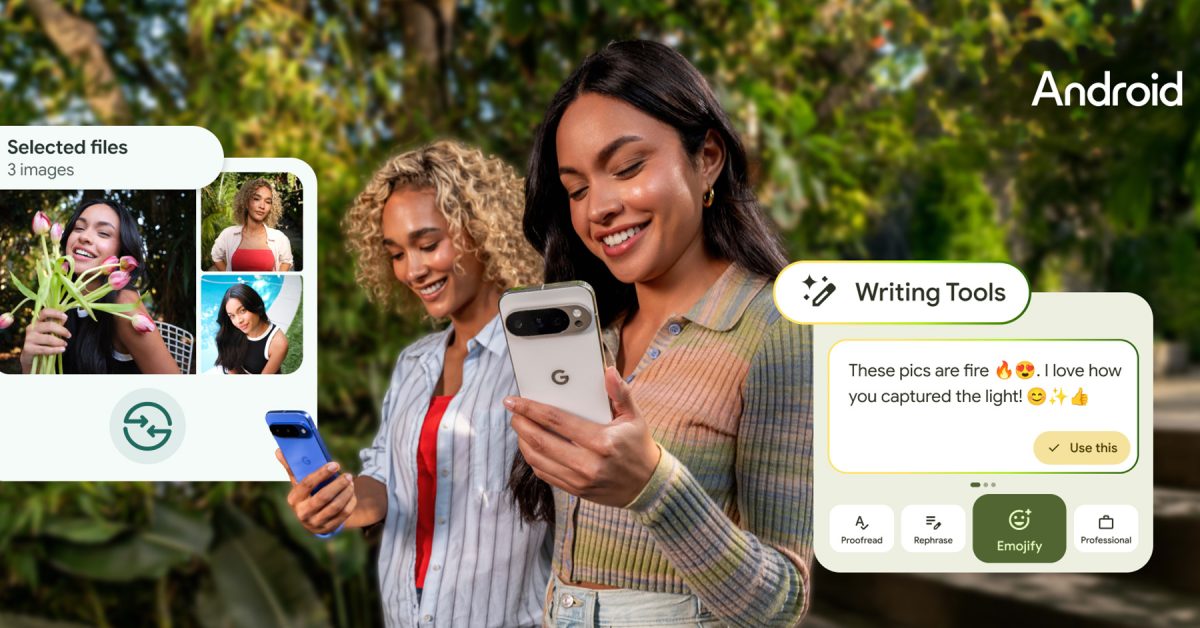
    The first highlight goes to AI tools inside of Gboard. As many of you may already know, Gboard is capable of taking your existing message and rewriting it in different tones. Google says, “It’s simple to improve your writing further with spelling and grammar fixes, or proofread your entire message with a tap.” And of course, the proofreading and rewriting of messages takes place on device for ensured privacy. You can watch the rewriting in action via the video below.

    Thanks to recent Emoji Kitchen updates, users can combine their favorite emoji into new shareable (and savable) emoji for communicating. Users can now more easily remix the stickers they want with Emoji Keyboard’s new browse function and there are new sticker combinations.

    Back in April, we got word of a reworked Quick Share UI inbound for Android. That UI is now completely official and headed out to users. It has a new streamlined look that makes sharing files, “more simple and intuitive.” Users can toggle between sending and receiving files, plus even see live updates with a progress indicator. Check it out in action below.

    And then there’s Audio Sharing. Google highlights the ability for two users to pair LE Bluetooth headphones to a phone and listen to the same thing. Also super sweet, you can start a private broadcast for your friends to join using a QR code, letting you all listen to the same audio on your separate headphones.

    As part of this news, Google announced expanded device support: “We’re bringing LE Audio capabilities to Sony headphones. In addition to Samsung Galaxy phones and Xiaomi devices, we’re expanding LE Audio Auracast support to compatible Pixel phones.”

    All good things.

    // Google

    Share. Facebook Twitter Pinterest LinkedIn Tumblr Email
    Admin
    • Website

    Related Posts

    European Union grants US request to restrict satellite images of Iran War region

    Apple TV teases ‘Matchbox,’ ‘Neuromancer,’ ‘Dark Matter’

    Samsung Electronics wins US$200 billion Broadcom AI chip partnership, boosting foundry push

    What to Know About Today’s Evidence-Based Weight Loss Treatments – Research Snipers

    Add A Comment
    Leave A Reply Cancel Reply

    Editors Picks

    Most Impressive Team Streaks Of The 21st Century: Where Does 2024-26 Spain Rank?

    NBC’s ‘Stumble’ is a mockumentary about a cheer team with plenty of tumbling runs and heart

    Xiaomi shares post worst week in 3½ years as accidents stoke EV safety concerns

    Judge reverses Trump administration’s cuts of billions of dollars to Harvard University

    Top Reviews
    9.1

    Review: Mi 10 Mobile with Qualcomm Snapdragon 870 Mobile Platform

    By Admin
    8.9

    Comparison of Mobile Phone Providers: 4G Connectivity & Speed

    By Admin
    8.9

    Which LED Lights for Nail Salon Safe? Comparison of Major Brands

    By Admin
    Sg Latest News
    Facebook X (Twitter) Instagram Pinterest Vimeo YouTube
    • Get In Touch
    © 2026 SglatestNews. All rights reserved.

    Type above and press Enter to search. Press Esc to cancel.