

Close Menu

    Subscribe to Updates

    Get the latest creative news from FooBar about art, design and business.

    What's Hot

    Can’t stand Google TV? Make it look like Roku instead

    Ihab Badawi Launches Personal Brand Platform After Two Decades Of Gulf Corporate Training

    Tiger Woods Not Ruling Out Masters Return; Ryder Cup Captaincy Also Uncertain

    Facebook X (Twitter) Instagram
    Facebook X (Twitter) Instagram Pinterest VKontakte
    Sg Latest NewsSg Latest News
    • Home
    • Politics
    • Business
    • Technology
    • Entertainment
    • Health
    • Sports
    Sg Latest NewsSg Latest News
    Home»Technology»Jef Raskin’s cul-de-sac and the quest for the humane computer
    Technology

    Jef Raskin’s cul-de-sac and the quest for the humane computer

    AdminBy AdminNo Comments2 Mins Read
    Facebook Twitter Pinterest LinkedIn Tumblr Email
    Share
    Facebook Twitter LinkedIn Pinterest Email


    To crystallize these concepts, rather than create another new computer, Raskin instead started work on a software package with a team that included his son, Aza, initially called The Humane Environment. THE’s HumaneEditorProject was first unveiled to the world on Christmas Eve 2002, though initially only as a SourceForge CVS tree, since it was considered very unfinished. The original early builds of the Humane Editor were open-source and intended to run on classic Mac OS 9, though QEMU, SheepShaver and Classic under Tiger and earlier will also run it.

    Default document.


    Credit:

    Cameron Kaiser

    As before, the Humane Editor uses a large central workspace subdivided into individual documents, here separated by backtick characters. Our familiar two-tone cursor is also maintained. However, although font sizes, boldface, italic, and underlining were supported, colors (and, additionally, font sizes) were still selected by traditional Mac pulldown menus.
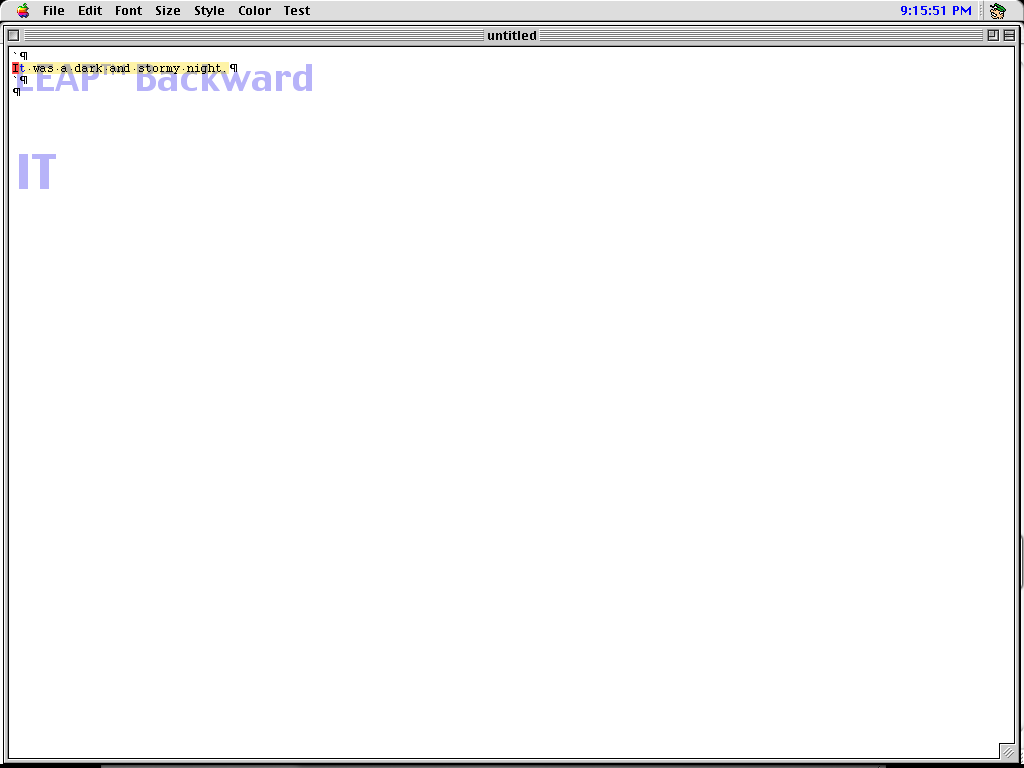
    Leaping with the SHIFT and angle bracket keys.


    Credit:

    Cameron Kaiser

    Leaping, here with a trademark, is again front and center in THE. However, instead of dedicated keys, leaping is merely a part of THE’s internal command line, termed the Humane Quasimode, where other commands can be sent. Notice that the prompt is displayed as translucent text over the work area.
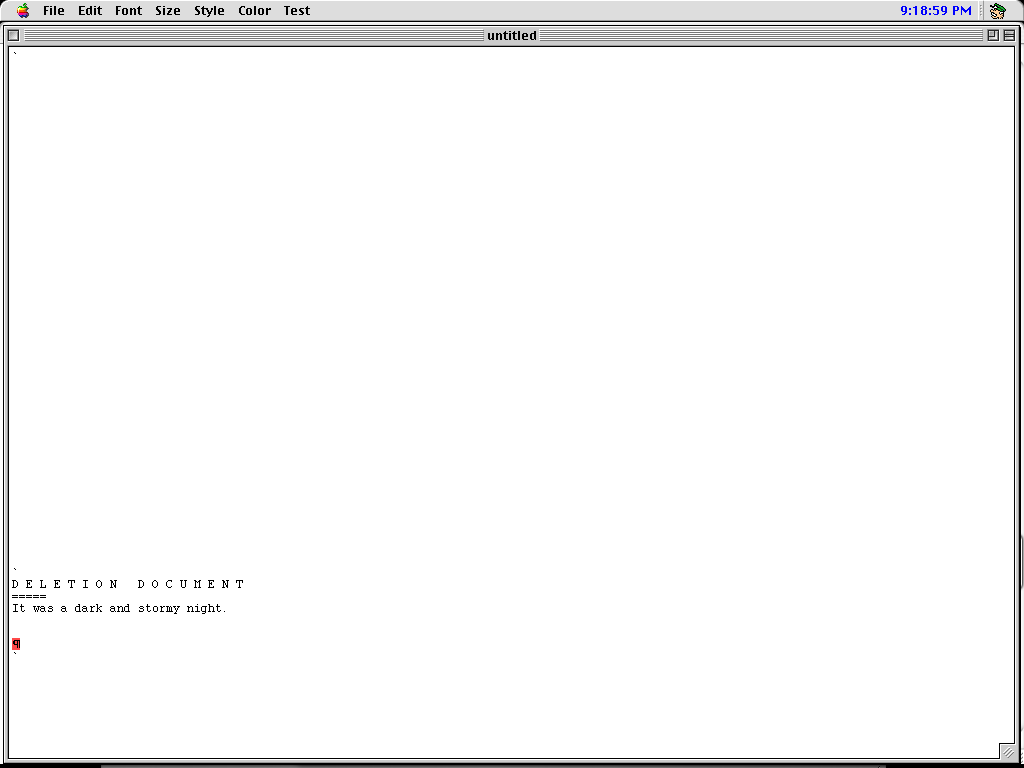
    The Deletion Document.


    Credit:

    Cameron Kaiser

    When text was deleted, either by backspacing over it or pressing DELETE with a selected region, it went to an automatically created and maintained “DELETION DOCUMENT” from which it could be rescued. Effectively, this turned the workspace into a yank buffer along with all your documents, and undoing any destructive editing operation thus became merely another cut and paste. (Deleting from the deletion document just deleted.)
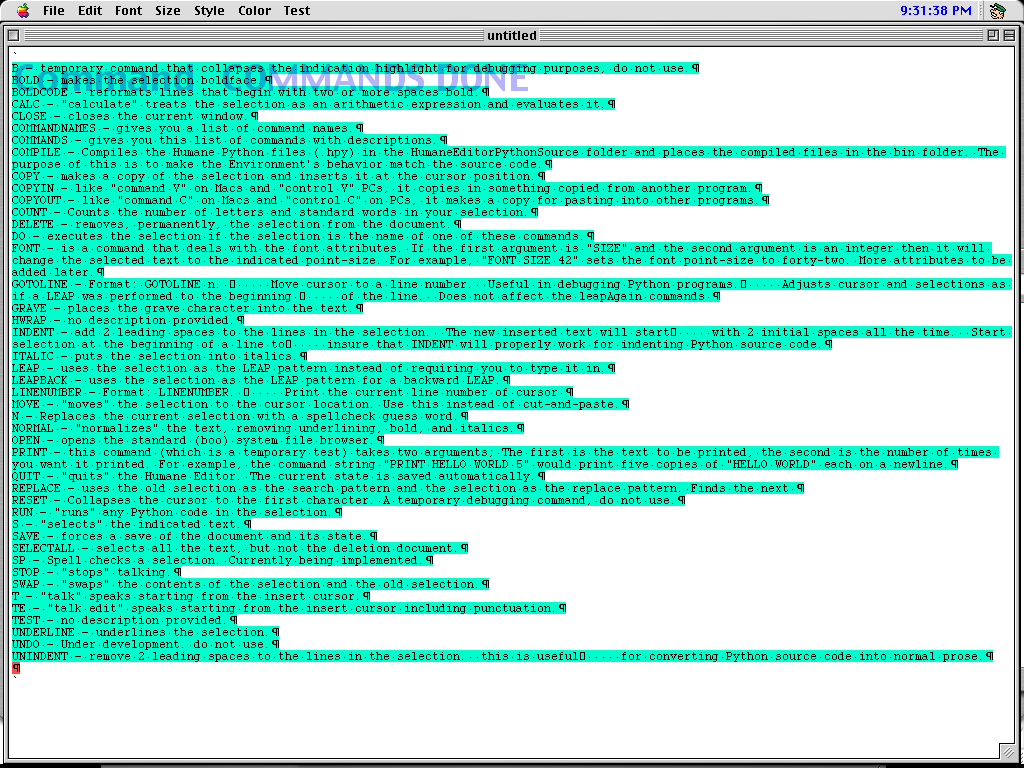
    Command listing.


    Credit:

    Cameron Kaiser

    A full list of commands accepted by the Quasimode was available by typing COMMANDS, which in turn emitted them to the document. These are based on precompiled Python files, which the user could edit or add to, and arbitrary Python expressions and code could also be inserted and run from the document workspace directly.

    Share. Facebook Twitter Pinterest LinkedIn Tumblr Email
    Admin
    • Website

    Related Posts

    Can’t stand Google TV? Make it look like Roku instead

    Ihab Badawi Launches Personal Brand Platform After Two Decades Of Gulf Corporate Training

    Shenzhen Optics Fair Show Cases City’s Strong Eyeware Industry Momentum

    IARPA launches new acquisition marketplace

    Add A Comment
    Leave A Reply Cancel Reply

    Editors Picks

    Most Impressive Team Streaks Of The 21st Century: Where Does 2024-26 Spain Rank?

    NBC’s ‘Stumble’ is a mockumentary about a cheer team with plenty of tumbling runs and heart

    Xiaomi shares post worst week in 3½ years as accidents stoke EV safety concerns

    Judge reverses Trump administration’s cuts of billions of dollars to Harvard University

    Top Reviews
    9.1

    Review: Mi 10 Mobile with Qualcomm Snapdragon 870 Mobile Platform

    By Admin
    8.9

    Comparison of Mobile Phone Providers: 4G Connectivity & Speed

    By Admin
    8.9

    Which LED Lights for Nail Salon Safe? Comparison of Major Brands

    By Admin
    Sg Latest News
    Facebook X (Twitter) Instagram Pinterest Vimeo YouTube
    • Get In Touch
    © 2026 SglatestNews. All rights reserved.

    Type above and press Enter to search. Press Esc to cancel.