



At a glance
Expert’s Rating
Pros
- Good speed and toolsets
- Preserves file names where possible
- Extensive file system support
- Excellent file system access through Unbootable Mac module, activated through Recovery Mode
Cons
- High price
- Deep Scan only seems to be accessible through Recovery Mode-based tool
- Irritating ads
Our Verdict
This is a viable contender as a recovery program with a Disk Image module, a Fusion Drive module, and a Recovery Mode-based tool, as well as extensive file format support, even if the price is a bit steep outside of the professional community.
Price When Reviewed
This value will show the geolocated pricing text for product undefined
Best Pricing Today
Price When Reviewed
$89.95 a month, $99.95 a year
Best Prices Today: iBoysoft Data Recovery for Mac
iBoysoft’s Data Recovery for Mac is a catch-all data recovery application by Chinese developer Chengdu Aibo Tech Co who has also created several other utilities for the Mac.
The software requires Mac OS X 10.11 El Capitan or later to install and run. It downloads and installs cleanly, and after assigning it full disk access in macOS’ Privacy and Security preferences, you’re set to work with its data recovery tools, which encapsulate standard rotational hard drives, flash and solid state drives, thumb drives, fusion drives, and Apple’s .dmg archive files, which can be searched through and recovered from as needed.
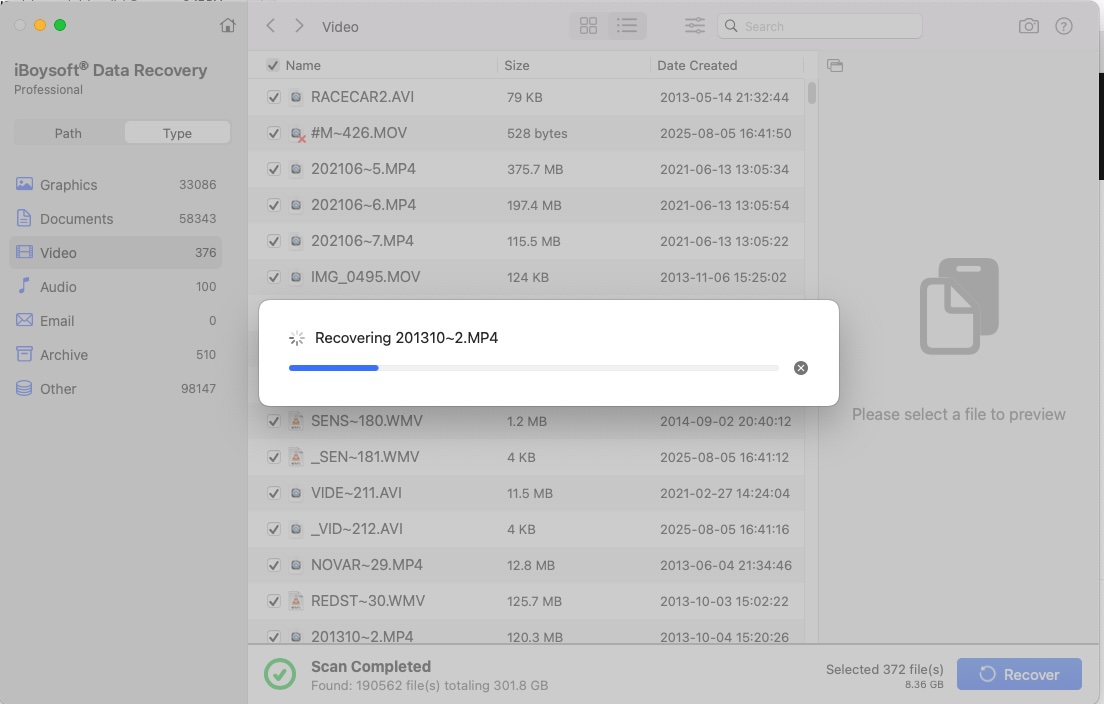
As expected, iBoysoft’s Data Recovery for Mac focuses on outright data recovery. For long-time data recovery application users, what’s present is familiar in terms of interface and features, and viable as a set of work tools. Drive searches are speedy, the Disk Image and Unbootable Mac modules are novel and interesting, and the program does what it can to bring back your files with their original names as opposed to having to sift through thousands of generically named files in your data recovery folder.
There’s a good, if somewhat simplified, level of customization to be had, and the inclusion of a specific Fusion Drive data recovery model acknowledges that fusion drives are a strange hybrid between a standard rotational hard drive and a solid-state component, offering a specific tool to work around these elements.
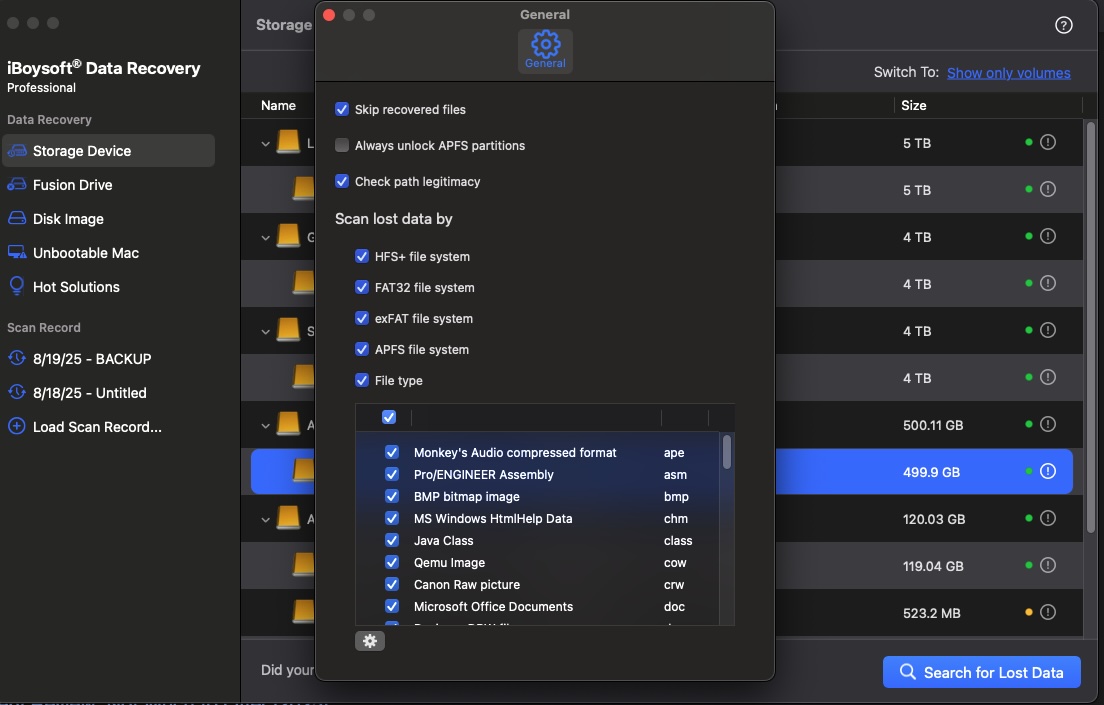
It currently supports the APFS, HFS, HFSX, HFS+, FAT32, and exFAT file systems, making it excellent for recovering from Mac, Windows, and Linux-based computers and partitions.
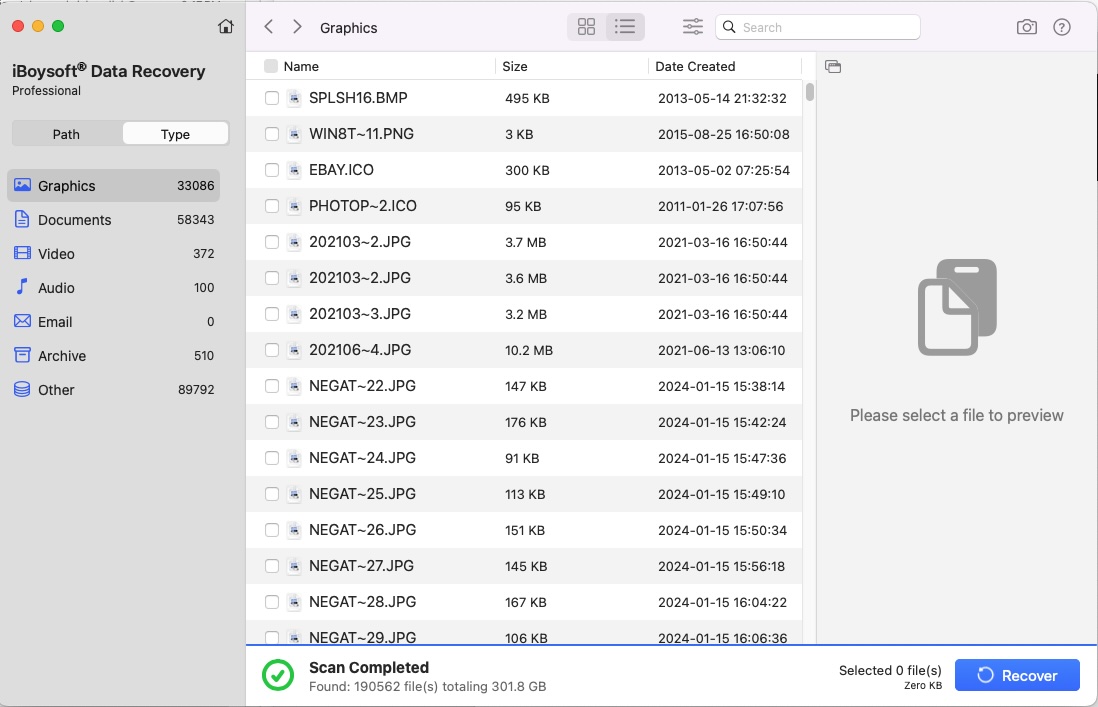
Foundry
In addition to offering support for Apple’s Secure Enclave technology, T2 chip protection, APFS encryption, and FileVault 2 protection, the application also offers an “Unbootable Mac” module that allows you to boot into your Mac’s Recovery Mode, and then enter “sh <(curl boot.iboysoft.com/boot.sh” in the Terminal program to access iBoysoft Data Recovery’s online recovery mode. This offers access to all of your Mac’s data partitions as well as the program’s Deep Scan feature, which can take longer but offers a more extensive search and recovery protocol.
Still, there’s some room for improvement. While iBoysoft’s Data Recovery for Mac’s tools work well, the Deep Scan feature seemed to be missing in the normal mode and only readily presented itself when you booted into the Mac’s Recovery Mode, which proved aggravating. Deep Scan modes aren’t unique to iBoysoft’s efforts, and competing programs such as Prosoft’s Data Rescue offer a Deep Scan option up front and without having to hunt around or boot into Recovery Mode to access it.
This, coupled with the frequent presentation of ads for the apps accompanying utility programs, and the overall high price for even a month’s subscription for a single Mac, makes one wince to a degree and reinforces the notion that this is a tool for the professional community as opposed to the consumer or casual user.
Foundry
Price
The software retails between $89.95 for one month for one Mac and up to $169.96 for a lifetime subscription for one Mac, with different price points and subscription options. This is a high price to pay if you are just an occasional user, rather than a professional managing data recovery needs, but the value of your data will probably dictate how much you are prepared to spend – and data recovery developers know this.
It is available as a free trial with no set duration that can scan through assorted drives and preview discovered data. Still, a license will need to be purchased to recover data, and while a 14-day money-back guarantee is available, you’ll still need to pay to play to work with it.
Once a purchase has been made, the company offers email-based tech support, which is either a hit or a miss depending on whether you prefer to be assisted by a chatbot, a remote connection to your Mac, or finally get a human being on the phone to help you.
Foundry
Should you buy iBoysoft Data Recovery for Mac?
iBoysoft’s Data Recovery for Mac features modules and toolsets that are comparable to those of its competitors. The inclusion of a Disk Image module, a Fusion Drive module, and a Recovery Mode-based tool, as well as extensive file format support, makes this excellent for data recovery from almost any computer on hand, even if the price is a bit steep outside of the professional community.
If you’re a professional IT technician or someone managing sensitive data recovery needs, the high price could be justified, but it’s a harder sell for the occasional user or the casual market. Still, there’s a trial version that can be downloaded as you see fit, and there’s a 14-day money-back guarantee.
See out round up of the best Mac Data Recovery apps.
