

Close Menu

    Subscribe to Updates

    Get the latest creative news from FooBar about art, design and business.

    What's Hot

    Here’s Which MLB Teams Have Been Eliminated From Postseason Contention

    Japan’s wholesale inflation stays elevated in August, boosts case for rate hike

    Houthis seize strategic Yemeni port, threatening Saudi oil exports through Red Sea

    Facebook X (Twitter) Instagram
    Facebook X (Twitter) Instagram Pinterest VKontakte
    Sg Latest NewsSg Latest News
    • Home
    • Politics
    • Business
    • Technology
    • Entertainment
    • Health
    • Sports
    Sg Latest NewsSg Latest News
    Home»Technology»I tried the Gemini app for Windows. It wasted my time
    Technology

    I tried the Gemini app for Windows. It wasted my time

    AdminBy AdminNo Comments
    Facebook Twitter Pinterest LinkedIn Tumblr Email
    Share
    Facebook Twitter LinkedIn Pinterest Email


    The Gemini app for Windows is a front page of sorts to Gemini’s generative content: the LLM chatbot itself, which is all that appears if you refuse to sign in to Google’s services with a Google account. Once you do, that unlocks the ability to access stored chats, plus dedicated tabs for images, video, and a stored library of the same. Optionally connecting Gemini to your Workspace account (Gmail, Drive, and more) allows access to a “daily brief” of your most important emails.

    That should be a productivity boost, right? Well…
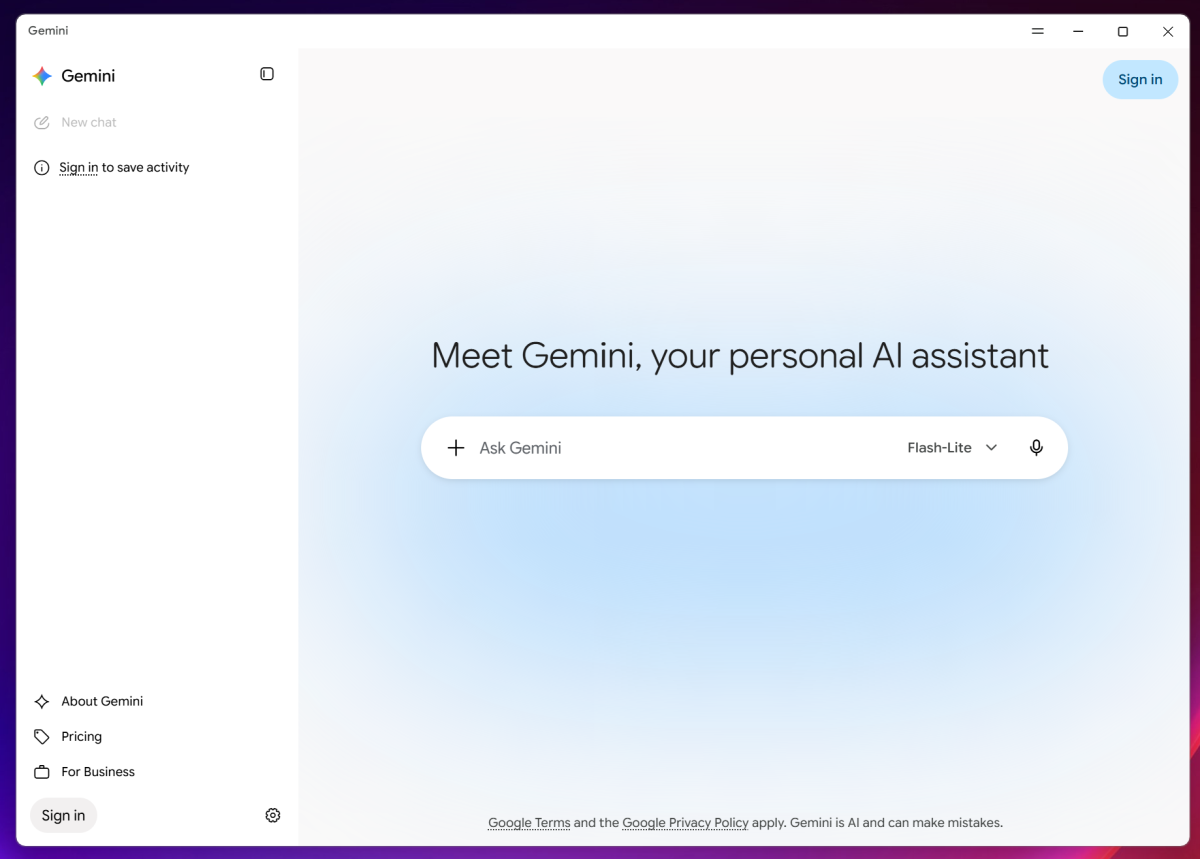
    Google Gemini app signed out
    You’ll see a much more basic interface if you decline to sign in.

    Foundry

    Competing options, like ChatGPT’s Windows app, allow you to connect the agent to your desktop or services like Slack. There, those agents can take actions for you. Gemini can’t even do that.

    Supposedly, one of the new Gemini app features access to Spark, Google’s personalized AI agent, at least in Google’s blog post. I didn’t see it in the app, either as a feature or even a potential upsell. (I’m currently not paying $100 per month to Google to access Spark via a Pro plan, which may have affected what the app showed me.)

    Instead, the app directed me to the “Scheduled Actions” via the Settings menu at the bottom of the page, where I could sample Google’s suggestions, such as sending me a recipe every weekend or suggesting a motivational quote every morning.

    If you download the Gemini app for Windows, make sure you explore the Settings menu further. There, the “Personal Intelligence” tab will allow you to turn on (or off) Gemini’s memory about you. A separate “Import memory to Gemini” tab allows you to tell other LLMs to summarize what they know about you and then feed that information to Gemini. (My colleague Ben reports that Anthropic’s Claude does this as well.) There are a few other controls to tweak, too.

    Share. Facebook Twitter Pinterest LinkedIn Tumblr Email
    Admin
    • Website

    Related Posts

    Orbs Appoints Ran Hammer CEO To Lead Its Next Stage Of Growth

    Arasan Furthers MIPI I3C® Compliance With Its Participation At The I3C® Interop In Taipei

    Trump is staffing up agencies with political appointees. They’re not sticking around, new analysis finds

    Apple Launches iPhone 18 Pro, Pro Max and First Foldable iPhone Duo in India, Lets Explore the Features

    Add A Comment
    Leave A Reply Cancel Reply

    Editors Picks

    Singapore overtaken by Ningbo-Zhoushan as second busiest container port in H1

    As supply shocks multiply, monetary policy will shape corporate resilience

    Apple Watch Series 12 features leaked ahead of Apple’s fall event

    Sg Latest News
    Facebook X (Twitter) Instagram Pinterest Vimeo YouTube
    • Get In Touch
    © 2026 SglatestNews. All rights reserved.

    Type above and press Enter to search. Press Esc to cancel.