



Google is tying Gemini and Chrome closer together, allowing Gemini broader access to your Chrome tabs while quietly turning the address bar into an entry point for its AI Mode. Eventually, it’ll add agentic browsing to Chrome as well.
The latter point is likely what Google wants to signal to the broader market, since keeping pace with (or surpassing) other browser makers deploying agentic AI is seen as a leadership move. But agentic browsing will debut in the coming months, while Gemini’s tighter integration with Chrome arrives soon, even today.
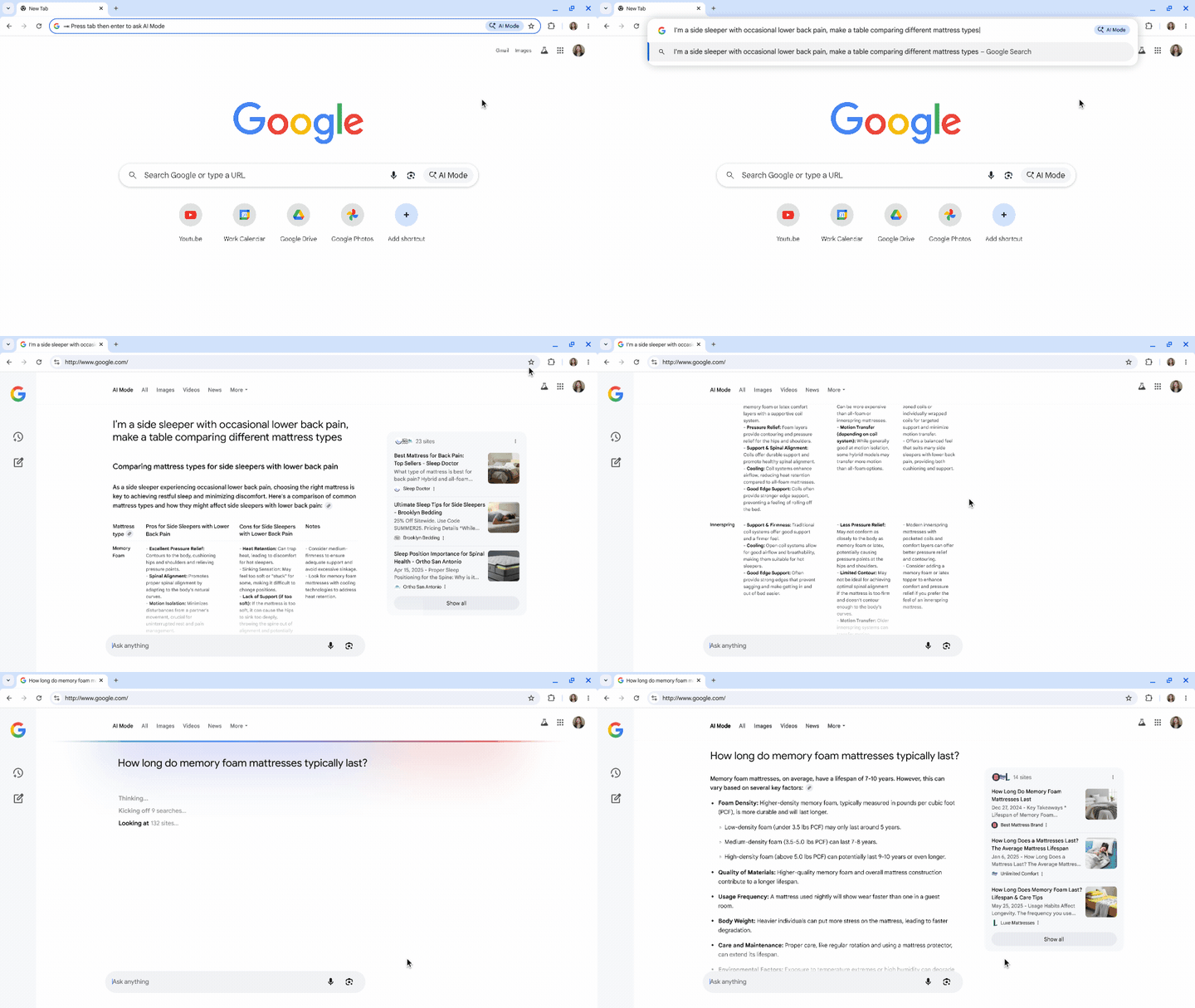
A day ago, you could type “best laptops” in Microsoft Edge on your PC and receive a summary of Copilot’s findings above a list of links. In Chrome, provided that you didn’t have AI Mode enabled, Google would return just that list of search results. Later this month, Google is making the “omnibox” a repository for AI Mode: what was once the “address bar” over time became a search box, and now it’s being transformed into something more.
Essentially, Google seems a step away from merging Gemini and Search within Chrome, as it said in May–it just hasn’t quite gotten there yet. Then, users were able to try out Gemini in Chrome with a paid subscription, allowing them to see the Gemini “sparkle” hovering above the content on the page. Today, Google has removed that paid limitation.
Now that Gemini is being added to Chrome, users will be able to “ask” queries about the page via a sidebar. If you “search” via the omnibox, you may receive an “AI Mode” result. AI Mode in the omnibox will roll out later this month. Users can toggle between a traditional search and an AI Mode request by clicking the small AI Mode “chip”.
It’s still unclear why Google has both an “omnibox” for web pages and search queries, plus a separate “box” dedicated to Gemini queries.
Gemini in Chrome, however, can now draw on more of your own information for context: not just what’s on the page, but also your other open Chrome tabs, your browser history, and even Google apps like Gmail and Calendar.
Querying your browser history sounds a bit like Microsoft Recall, but without the fanfare or controversy. Here, Google suggests that you use a prompt like “what was the website that I saw the walnut desk on last week?” or “what was that blog I read on back to school shopping?”
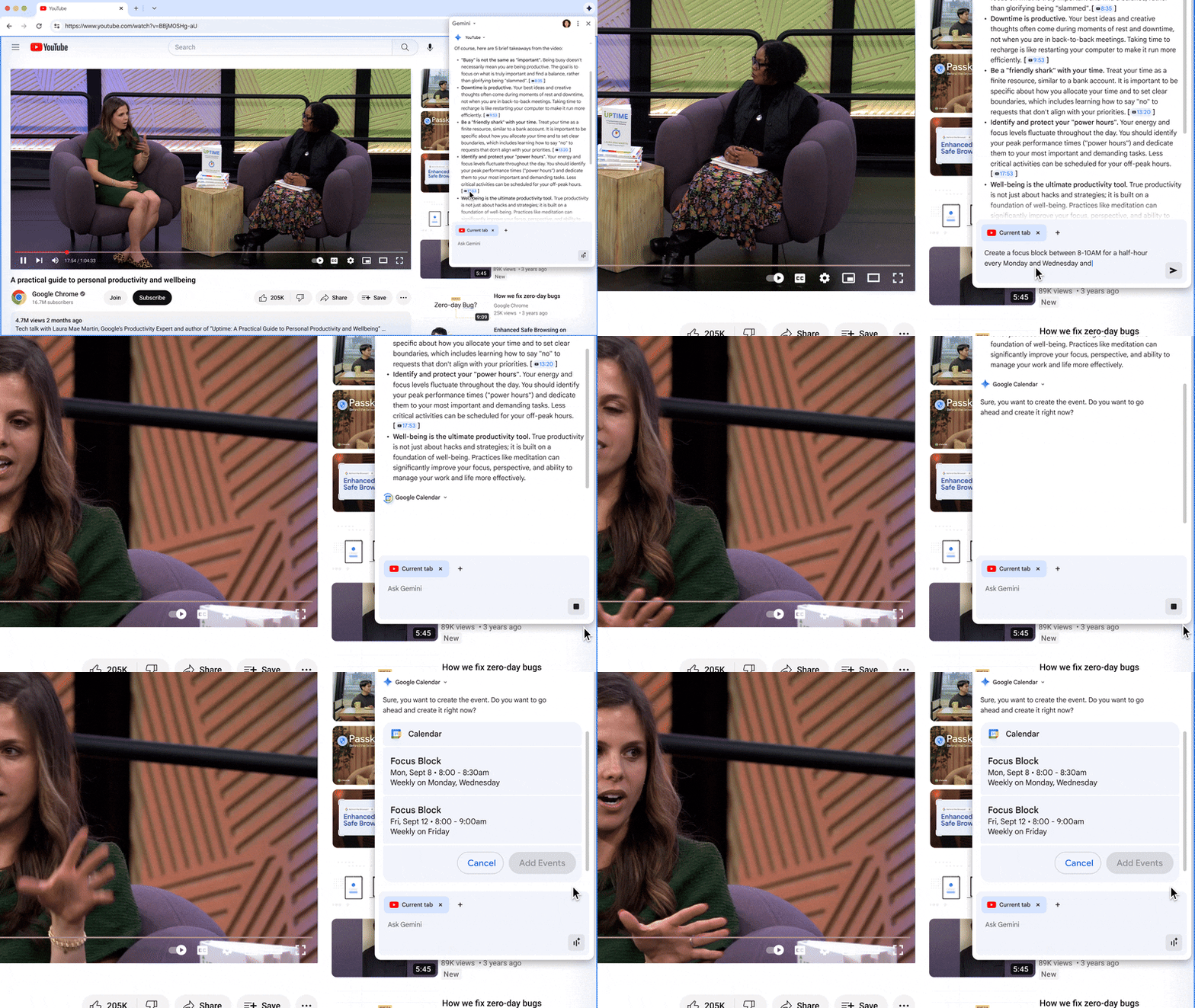
If you have a question about a page you’re viewing, Google will supply some suggestions.
Google’s road to agentic browsing
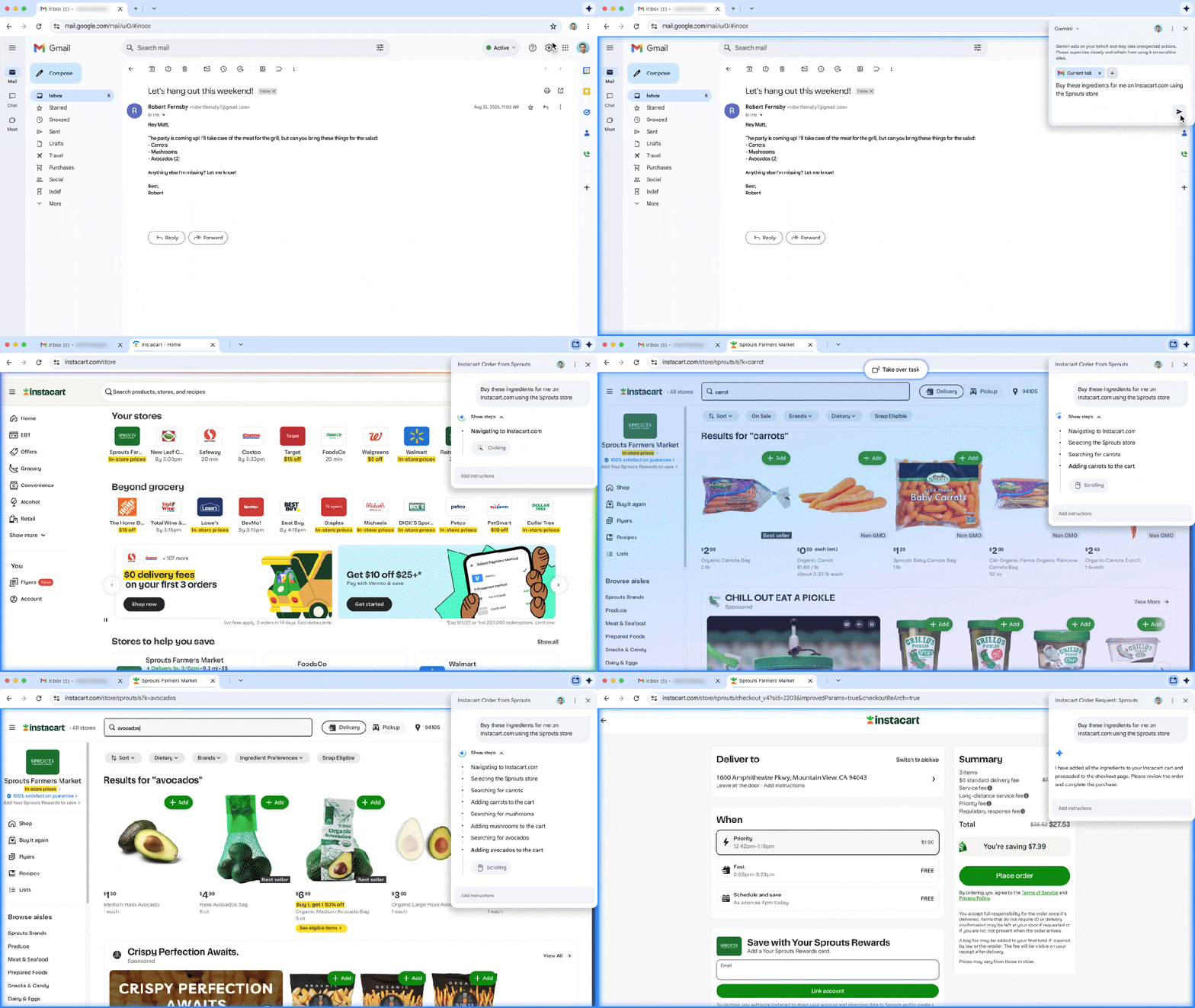
Like Microsoft in Edge and Opera with its own version, Google has also demonstrated agentic browsing. However, it looks like every other agentic browser demo I’ve seen: give it a task and off goes the AI agents to complete it. In this case, Google already offered a sneak peek of agentic technology in May as “Project Mariner.”
When the process (in this case, a shopping task) completes, you’re given a chance to look it over and then make a final decision to pay, or not.
The idea is that agentic AI could be used to plan trips, handle shopping, or even combine the two. In this case, however, Google’s agentic AI will be limited to English-language web pages, according to company executives. The feature will roll out “in the coming months,” Google said.
AI-based security, too
Google’s AI is being applied to personal web security. It’s not just detecting scams that might trick you into downloading software, it’s also blocking sites that push fake contests or sweepstakes, and even cutting down on low-quality sites that request unusual permissions, like camera access.
Google also said that it will use AI to detect compromised passwords that were leaked in a data breach. Today, it simply alerts you and points you to the site to change them. On certain sites, Google says it can now reset and securely store the updated password for you.
There are some smart uses of AI here, but it also feels like Google is slowly easing us into a future where AI answers our queries instead of showing a list of links. What will that make Chrome, which began life as a web browser and now is evolving into a showcase for Google’s AI? The jury’s still out on that one —well, not legally.
