

Close Menu

    Subscribe to Updates

    Get the latest creative news from FooBar about art, design and business.

    What's Hot

    FBI searches office of Ohio group that supports voter registration efforts

    Issue 198: UBS cuts Asia ESG staff; S-E Asian renewables assets face high climate risk

    Best Free AI Tools for Work in 2026: ChatGPT, Claude, and More

    Facebook X (Twitter) Instagram
    Facebook X (Twitter) Instagram Pinterest VKontakte
    Sg Latest NewsSg Latest News
    • Home
    • Politics
    • Business
    • Technology
    • Entertainment
    • Health
    • Sports
    Sg Latest NewsSg Latest News
    Home»Technology»Android 17 Just Added a Built-in Selfie Reaction Feature
    Technology

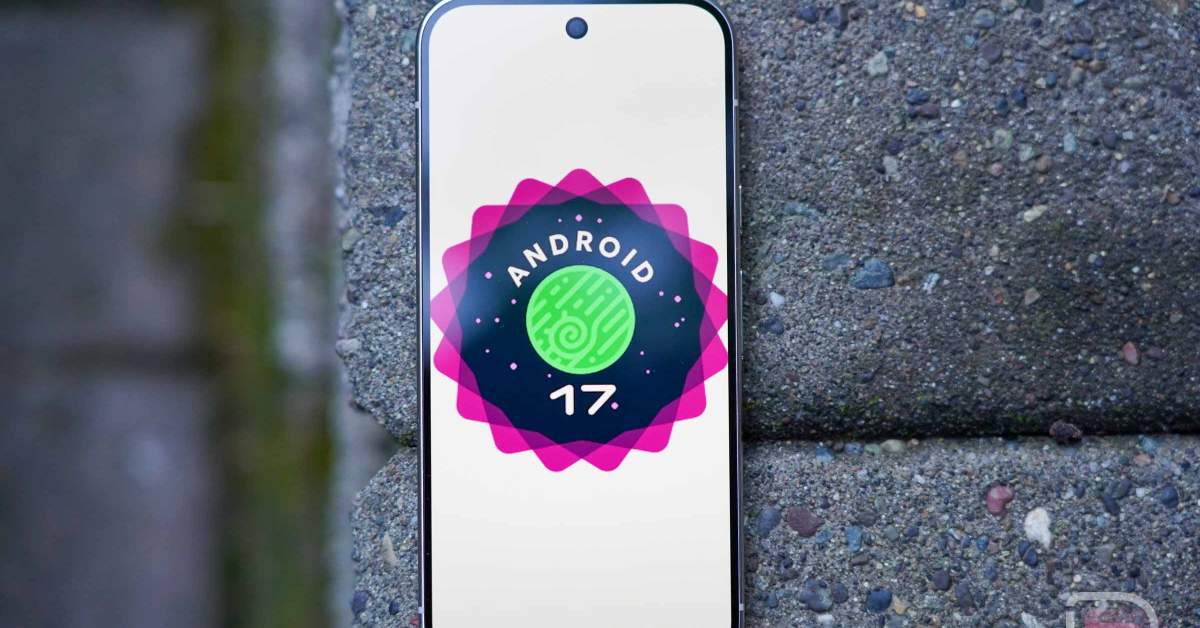
    Android 17 Just Added a Built-in Selfie Reaction Feature

    AdminBy AdminNo Comments2 Mins Read
    Facebook Twitter Pinterest LinkedIn Tumblr Email
    Share
    Facebook Twitter LinkedIn Pinterest Email


    As a part of Google’s pre-I/O Android Show from a few weeks back, they showed off several upcoming features that were a lock for Android 17 at some point. The rollout of each had varying timelines, but we sort of anticipated that some would land with stable Android 17 in Q2, while many would show up in a future 2026 release.

    One of the features highlighted was a screen reaction-type of thing, where you could turn on your selfie camera during screen recordings to react to happenings on screen. It basically gave everyone with a Pixel phone the opportunity to make one of those awful YouTuber reaction clips.

    That feature was included in the latest Android 17 QPR1 Beta 4 that began rolling out yesterday.

    You can find it by turning on a screen recording and then choosing the “Entire screen” option from the top dropdown menu. That choice will present a “Show selfie camera” toggle that, when enabled, presents you through the selfie camera as you record.
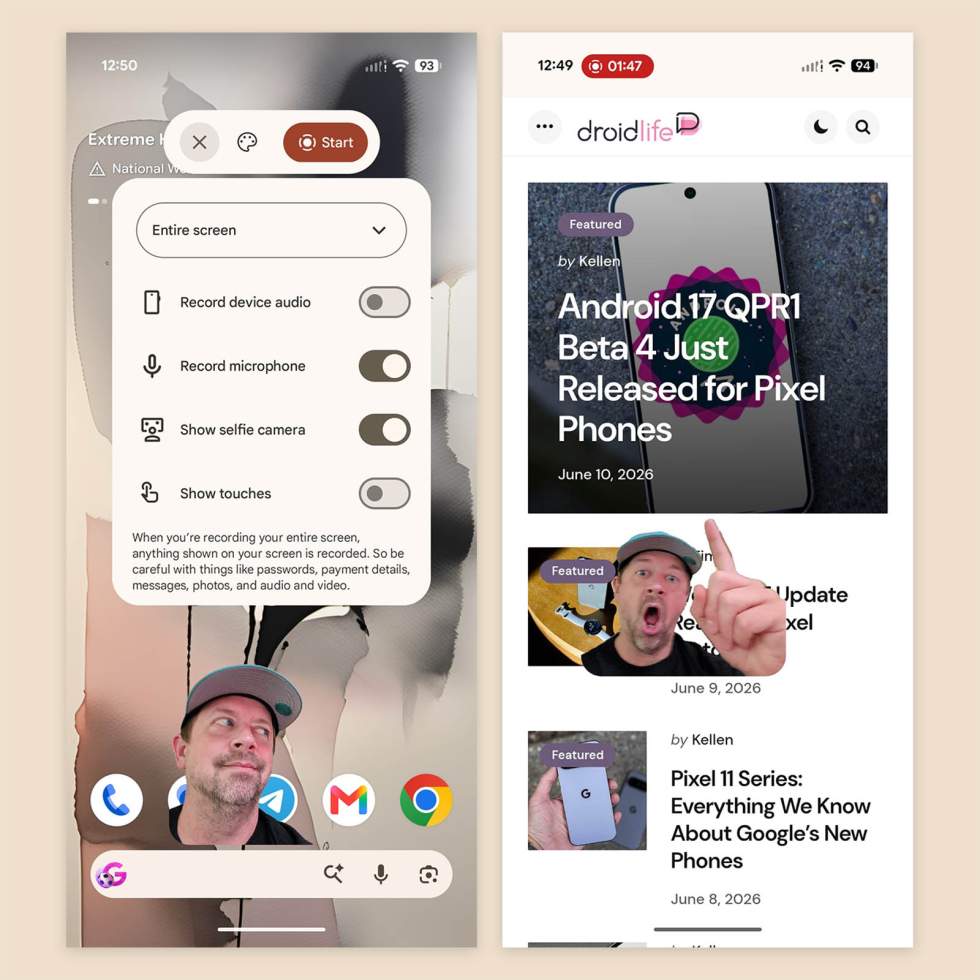
    Android 17 - Screen recording selfie reactions - how toAndroid 17 - Screen recording selfie reactions - how to

    It’s pretty slick! When activated, the selfie camera is able to filter out your background, almost as if you had a green screen behind you. You can also choose to add a colored background and drag your picture around the screen too.

    Other options are here too, like recording of device audio, using the microphone of your phone, and showing touches.

    Aspiring reaction folk, it’s time to install the latest Android 17 QPR1 beta on your Pixel phone.

    Share. Facebook Twitter Pinterest LinkedIn Tumblr Email
    Admin
    • Website

    Related Posts

    Best Free AI Tools for Work in 2026: ChatGPT, Claude, and More

    How To See If Netflix Is Downgrading Your Picture Quality

    13 Best 4K Gaming Monitors for High-Refresh Play in 2026

    OpenAI teams up with Visa to enable secure payments through AI agents

    Add A Comment
    Leave A Reply Cancel Reply

    Editors Picks

    Electrical fire to keep theater that hosts ‘The Book of Mormon’ closed through May 17

    The 2026 Grammy Award nominations are about be announced. Here’s what to know

    Disease of 1,000 faces shows how science is tackling immunity’s dark side

    Judge reverses Trump administration’s cuts of billions of dollars to Harvard University

    Top Reviews
    9.1

    Review: Mi 10 Mobile with Qualcomm Snapdragon 870 Mobile Platform

    By Admin
    8.9

    Comparison of Mobile Phone Providers: 4G Connectivity & Speed

    By Admin
    8.9

    Which LED Lights for Nail Salon Safe? Comparison of Major Brands

    By Admin
    Sg Latest News
    Facebook X (Twitter) Instagram Pinterest Vimeo YouTube
    • Get In Touch
    © 2026 SglatestNews. All rights reserved.

    Type above and press Enter to search. Press Esc to cancel.