


Summary created by Smart Answers AI
In summary:
- PCWorld highlights how Google TV and Android TV users can replace their default home screen with third-party launchers for better customization.
- Kyu Launcher offers a Roku-like interface without banner ads, featuring custom app folders and themes for just $4 in optional upgrades.
- Alternative options include Monet Launcher with Apple TV-style design and Projectivy Launcher for maximum customization with streaming recommendations and widgets.
One of the best things about Google’s smart TV and streaming player software is that if you don’t like the standard home screen, you can replace it.
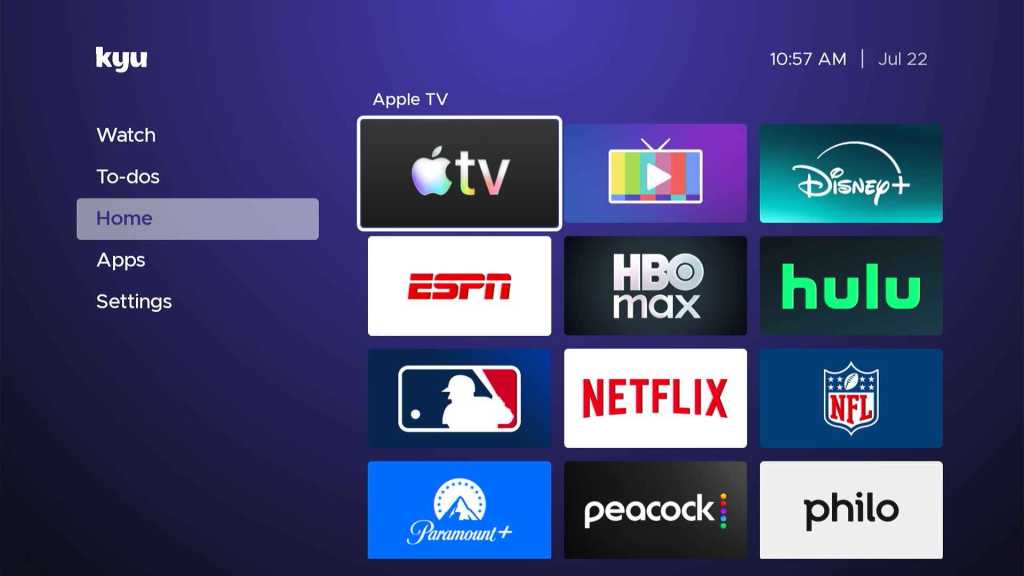
Now, you can even make the home screen look like a Roku, thanks to a free app called Kyu Launcher. This alternative home screen closely resembles Roku’s sidebar and app grid, but without any obnoxious banner ads, and it works on any Google TV or Android TV device.
Switching to Kyu Launcher takes only a couple minutes to set up, and it provides a much simpler experience whenever you press your remote’s home button. But it’s also just one of several ways to swap Google TV’s main menu for one that’s more to your liking.
Jared Newman / Foundry
After installing Kyu Launcher from the Google Play Store, you can open the app to see what it looks like. This will not replace your home screen yet, so you can still get back to the regular home screen by tapping your remote’s home button.
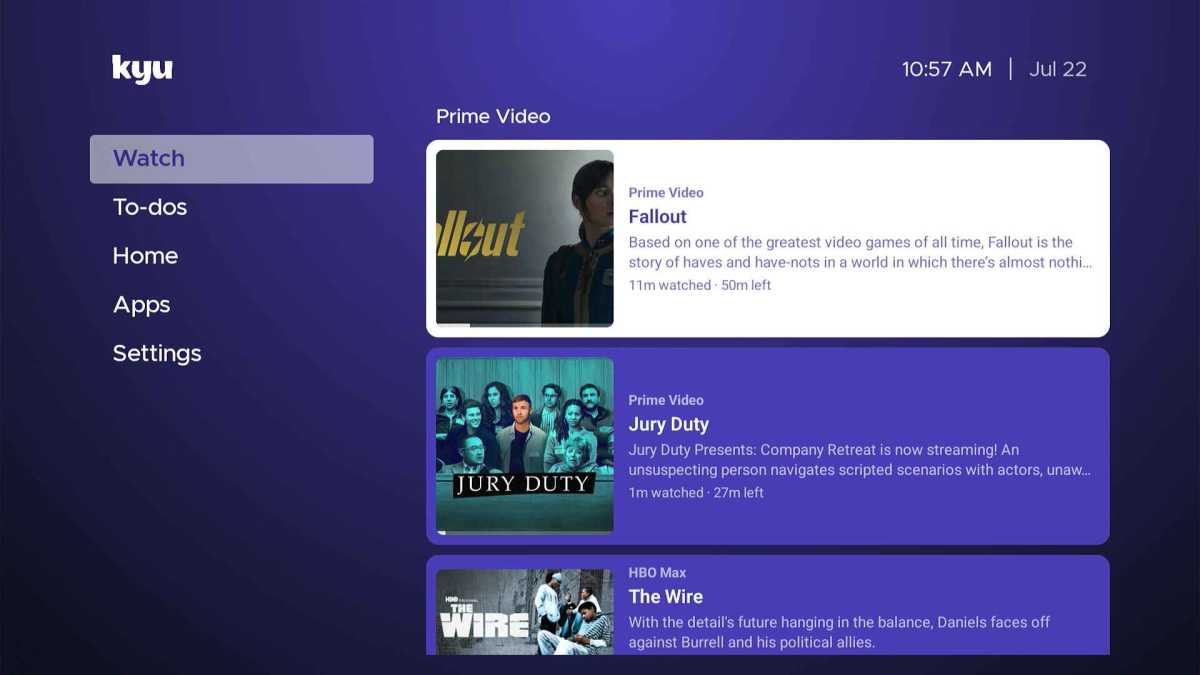
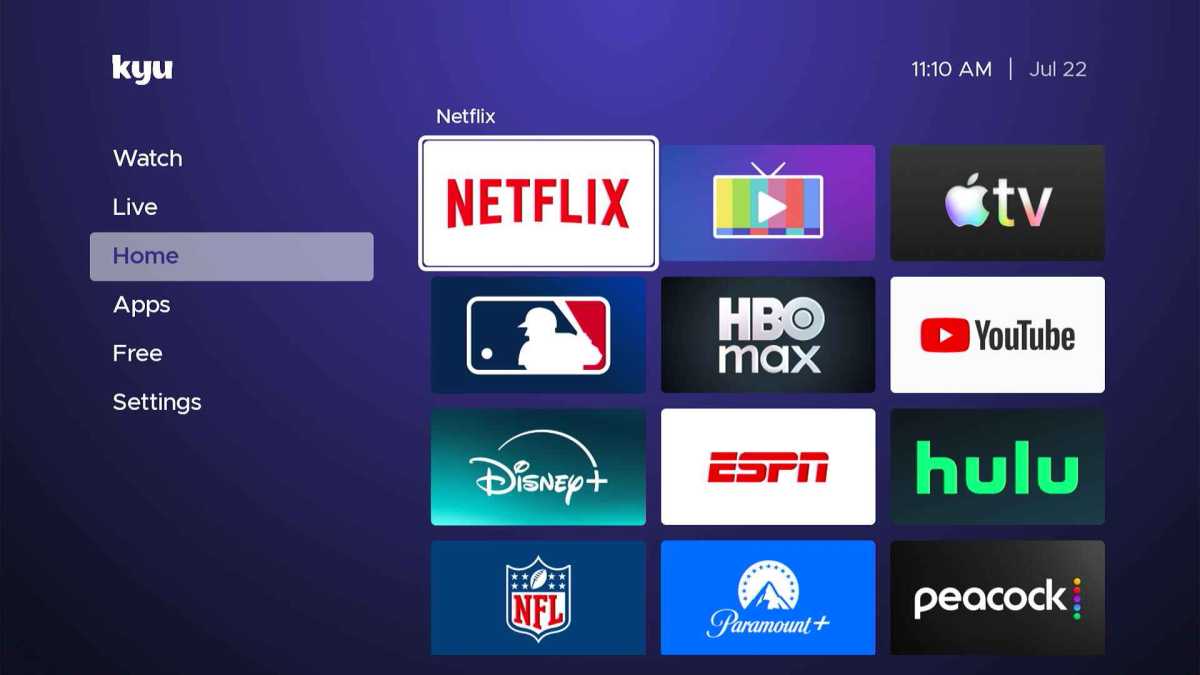
Much like on Roku, the “Home” tab lists most of your apps in a 3-by-3 grid, along with TV inputs if you’re using a smart TV. There’s also a handy “Watch” tab that lists movies and shows in progress—seemingly based on Google TV’s “Continue Watching” row—and a “To-dos” task list tab that feels superfluous on a television.
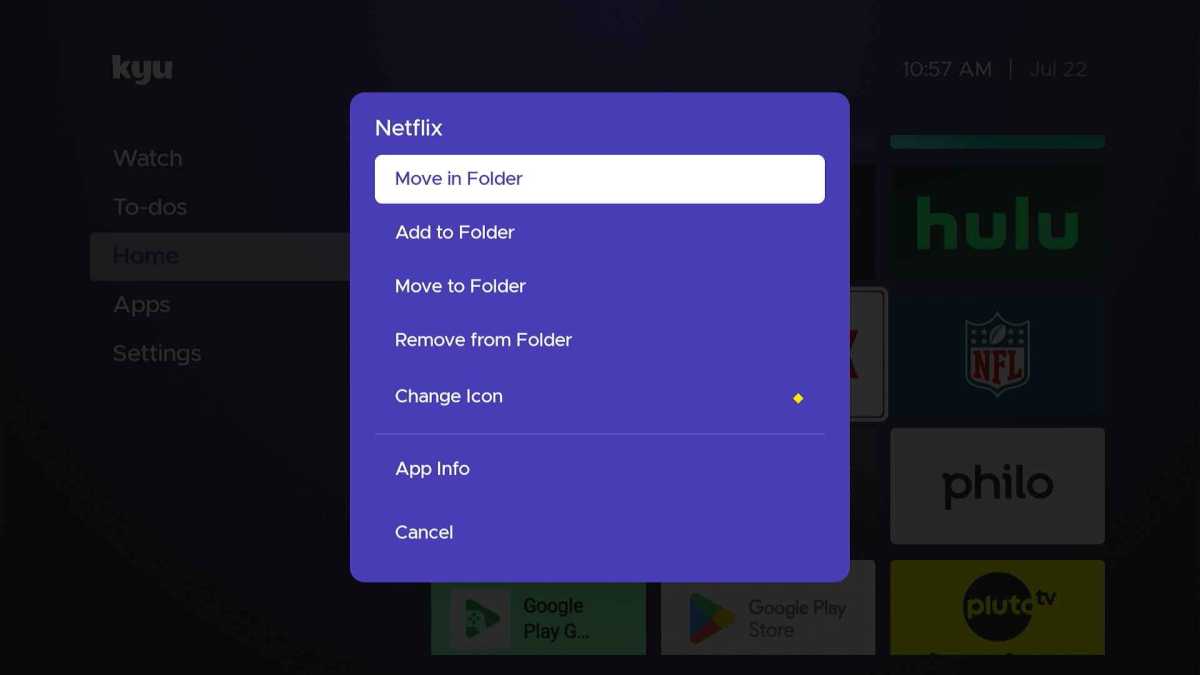
One big difference from Roku: You can create additional folders in the left sidebar for organizing your apps. An “Apps” folder is included by default, but you could also potentially have separate folders for games, utilities, or free services. Long-pressing any app brings up the option to put it into another folder.
Jared Newman / Foundry
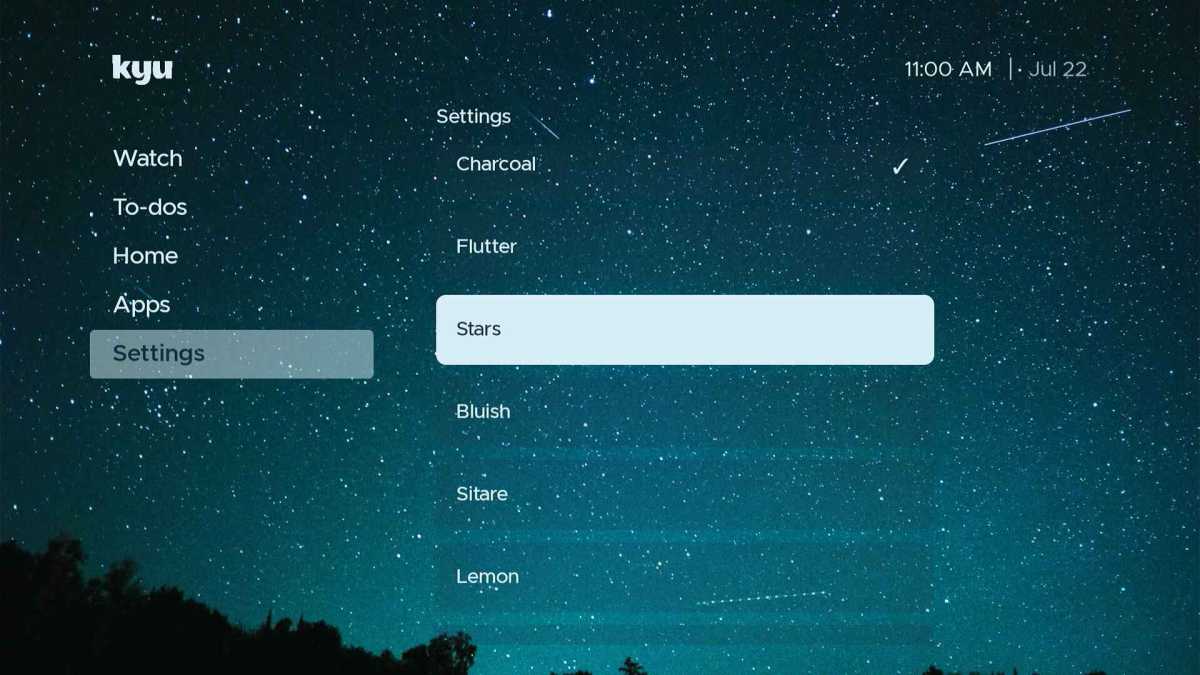
Kyu Launcher has its own Settings menu, with a quick link to device settings and ways to customize the home screen’s background and colors.
Jared Newman / Foundry
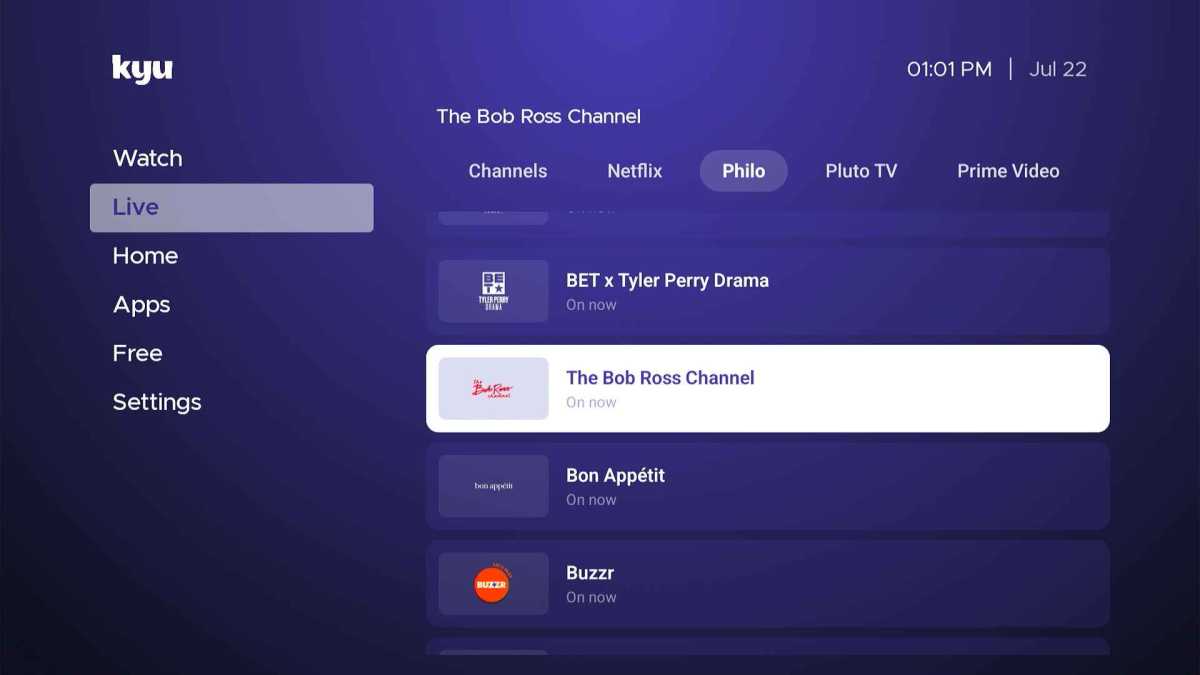
You can also hide the aforementioned Watch and To-dos tabs or enable a “Live” tab for launching linear channels from supported apps. (In my experience, this only worked reliably with channels from Philo, and is better left disabled.)
Jared Newman / Foundry
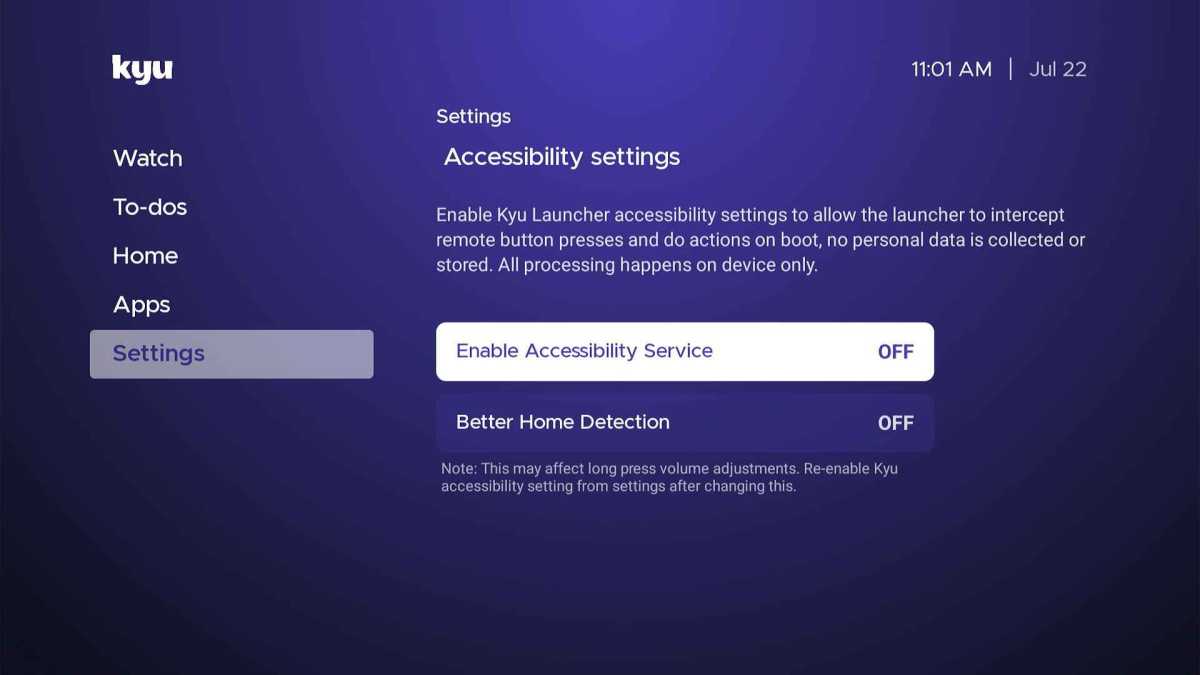
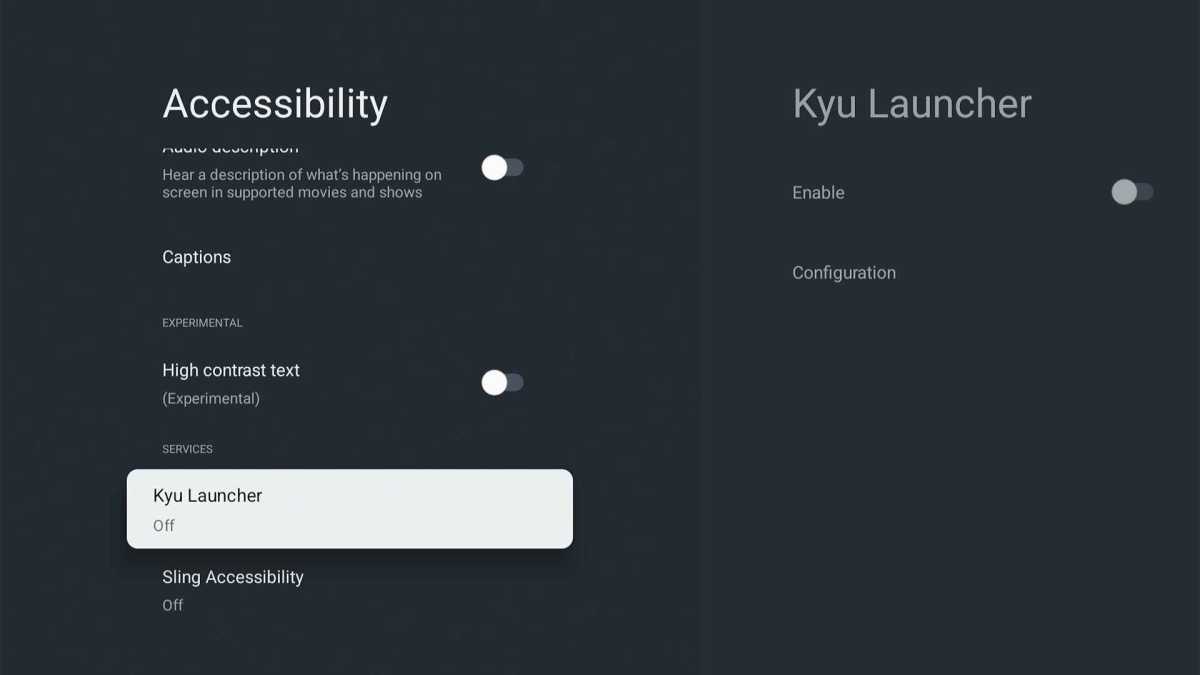
If you like Kyu Launcher enough to use it as your regular home screen, you can set this up under Settings > Accessibility Settings. Clicking through “Enable Accessibility Service” will take you to Google TV’s Accessibility menu, where you can scroll to the bottom and enable Kyu Launcher. After returning to the launcher, you’ll be able to turn on “Better Home Detection” as well.
Jared Newman / Foundry
Giving Kyu Launcher accessibility access is necessary for remapping the buttons on your remote, but it technically also gives the app access to keyboard inputs as well. The developer says that it does not collect or store personal data and processes all inputs on-device only.
Jared Newman / Foundry
Note that using Kyu Launcher as your default home screen may override some of the buttons on your remote, like the profile switcher and live TV button. Consider using the TVQuickActions app to remap these buttons to functions that don’t require the regular home screen.
Kyu Launcher arrived in May and could still use improvement. The default inclusion of separate “Home” and “Apps” folders is confusing, and the “To-dos” section is unnecessary. I’ve also run into a few navigational glitches—for instance, unexpectedly getting kicked out to the home screen after adjusting a setting, and I wish that you could hit the remote’s Home button to jump back to the top of the home screen, similar to how Roku works.
But with a bit of configuration, Kyu Launcher really does feel like navigating Roku’s home screen, albeit without all the ads, upsells, and feature bloat that have crept in over the years. The app is mostly free to use, with an optional $4 purchase to unlock additional color themes and wallpapers.
Jared Newman / Foundry
If you ever want to stop using Kyu Launcher and go back to Google TV’s standard home screen, head to your device’s Settings menu, then navigate to Apps > Kyu Launcher, and hit the “Uninstall” button.
A world of home screen possibilities
AT4K Launcher
Jared Newman / Foundry
Once you’ve gotten a taste of changing your Google TV home screen, you may want to experiment with other options.
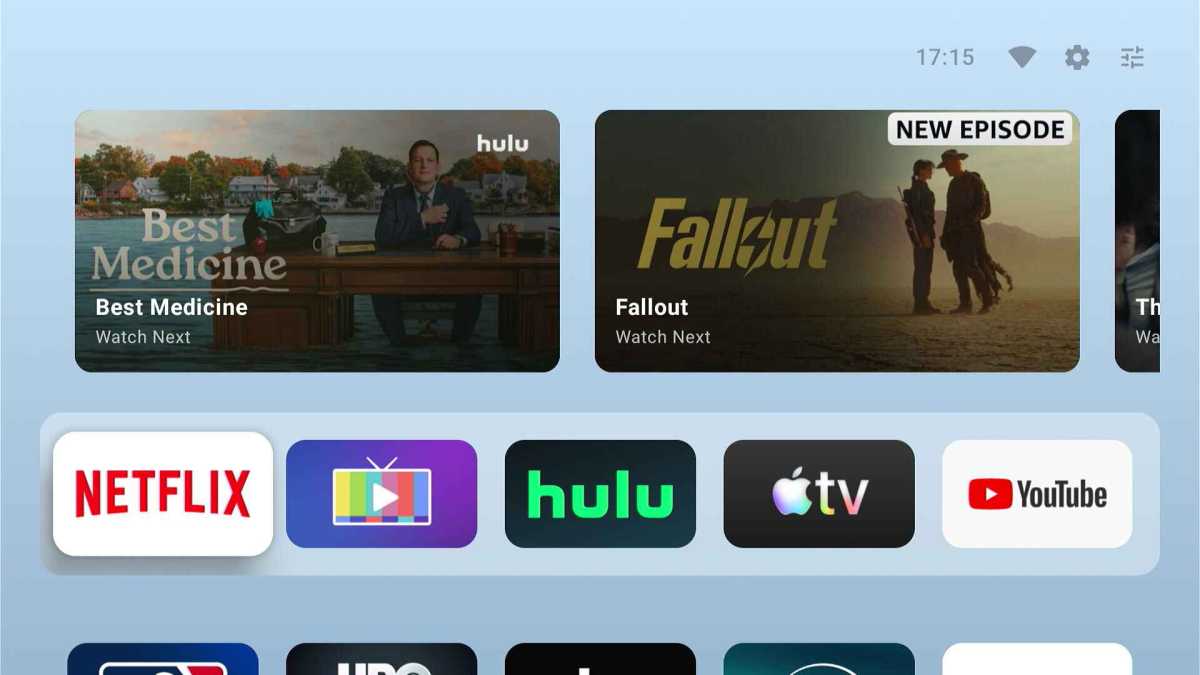
The developer of Kyu Launcher, for instance, has also built AT4K Launcher, which I wrote about in January. Instead of mimicking Roku, AT4K Launcher takes after Apple TV with its large app grid and content recommendations along the top row.
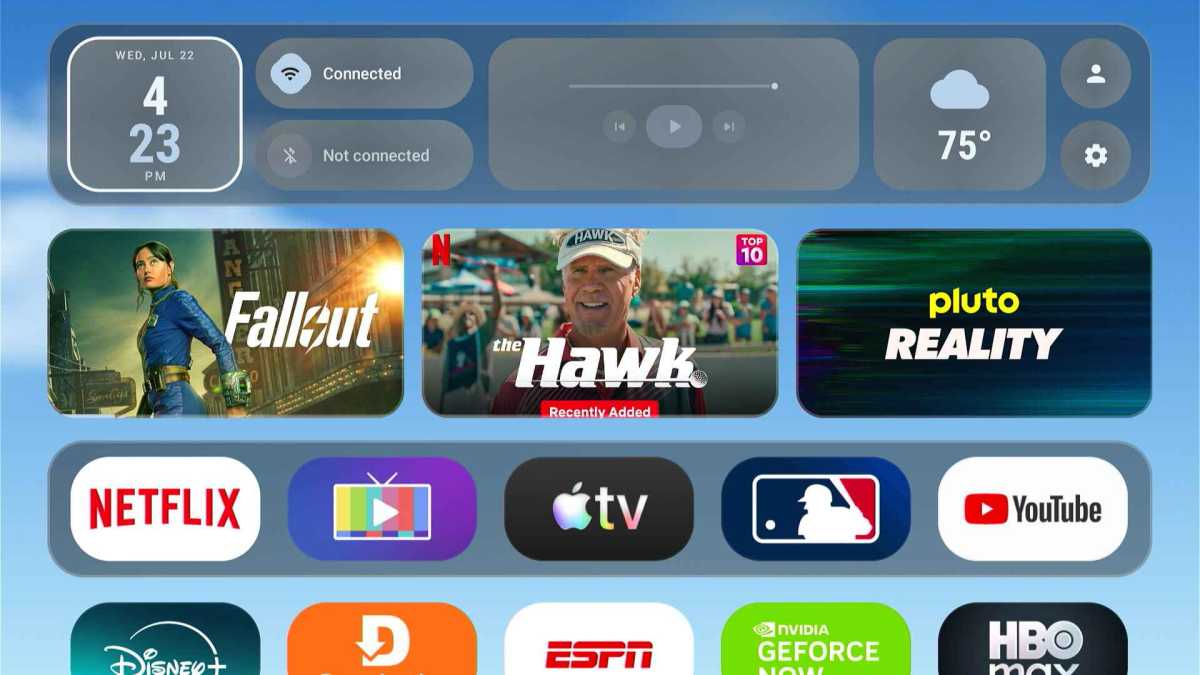
Monet Launcher is a newer entrant. It also resembles the Apple TV home screen, but with customizable widgets, themes, and a slick live weather background. It also allows multiple users to set their own layouts.
Jared Newman / Foundry
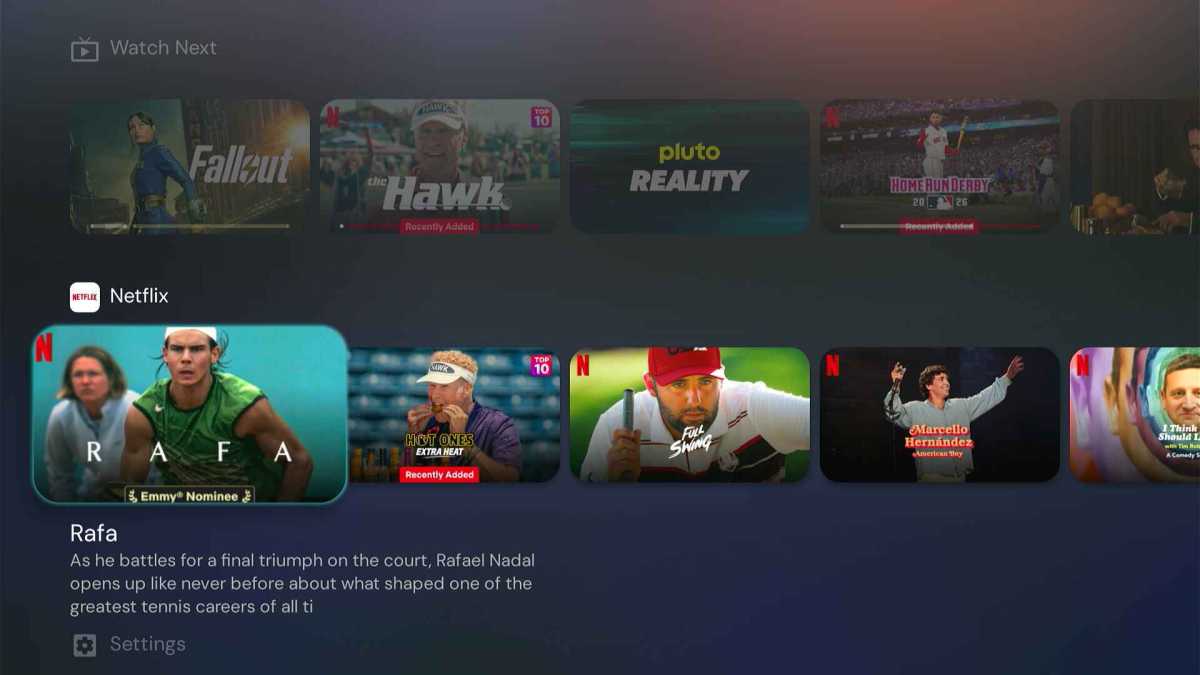
Projectivy Launcher has been around longer than any of the others. It starts with all your apps in one row and “Continue Watching” programs in another, but from there you can add extra rows of apps, shortcuts, and recommendations from individual streaming services. It’s the most customizable launcher of the bunch, but also the most complex.
Jared Newman / Foundry
The common thread with all these launchers is that they put your interests first. Most streaming platforms do the opposite, using their home screens to make money from subscriptions, rentals, and whatever ad-supported content they’re promoting. Installing a custom home screen is a great way to push back and start your TV time on a more pleasant note.
Sign up for Jared’s Cord Cutter Weekly newsletter for more streaming TV advice.
