

Close Menu

    Subscribe to Updates

    Get the latest creative news from FooBar about art, design and business.

    What's Hot

    Tennessee redistricting plan splits Memphis neighbors and reshapes midterms as other states follow

    Operators of critical services in Singapore must urgently raise defences amid AI threats: Shanmugam

    Denon Home series speakers review: Siri & superior sound

    Facebook X (Twitter) Instagram
    Facebook X (Twitter) Instagram Pinterest VKontakte
    Sg Latest NewsSg Latest News
    • Home
    • Politics
    • Business
    • Technology
    • Entertainment
    • Health
    • Sports
    Sg Latest NewsSg Latest News
    Home»Technology»Is the New MX Master 4 Worth the Upgrade?
    Technology

    Is the New MX Master 4 Worth the Upgrade?

    AdminBy AdminNo Comments3 Mins Read
    Facebook Twitter Pinterest LinkedIn Tumblr Email
    Share
    Facebook Twitter LinkedIn Pinterest Email


    Just a heads up, if you buy something through our links, we may get a small share of the sale. It’s one of the ways we keep the lights on here. Click here for more.

    Logitech just dropped the MX Master 4, and it’s pretty much what you’d expect.

    They stuck with what works but made some nice tweaks. It looks and feels like the older versions, but now it has this haptic feedback thing that makes your thumb feel little vibrations when you’re using it.

    At $120 (shipping October), this iterative beast is basically the MX Master 3S’s slightly chunkier cousin who went to therapy and learned how to communicate better.

    We’re talking 150 grams vs. 141g, because apparently those extra 9 grams are pure productivity weight.

    The real star here? That haptic feedback panel chillin’ in your thumb rest.

    For example, the mouse will vibrate when you’re pairing devices, switching between your three connected gadgets, or when your battery’s about to die (because who actually checks that?).

    Adobe users will especially dig the native support in Photoshop and Lightroom—imagine feeling your cursor snap into perfect alignment.

    Other upgrades include USB-C receiver (finally!), bigger PTFE feet for that buttery glide, and a coating swap from rubber to textured plastic that won’t turn into a lint magnet after six months.

    The catch? You’ll need to keep Logitech’s Options+ software running for the haptic magic, there’s no USB-C cable in the box, and the 125Hz polling rate feels a bit 2019.

    Bottom line: If you’re rocking an older MX Master, this is a solid upgrade. If you’ve got the 3S and aren’t dying for thumb tingles, maybe wait for the MX Master 5’s inevitable holographic scroll wheel or whatever.

    The Logitech MX Master 4 is available now and can be found via Logitech’s website and other retailers like Amazon.

    Logitech MX Master 4


    4.4

    Logitech’s MX Master 4 isn’t just a mouse—it’s like having a productivity coach strapped to your palm, whispering “work smarter, not harder” while you effortlessly scroll, click, and conquer your digital chaos.

    What We Like:

    • Haptic feedback makes clicking feel fancy
    • Actions Ring saves actual work time
    • 8K DPI tracks on any surface
    • Works with glass (finally, someone gets it)
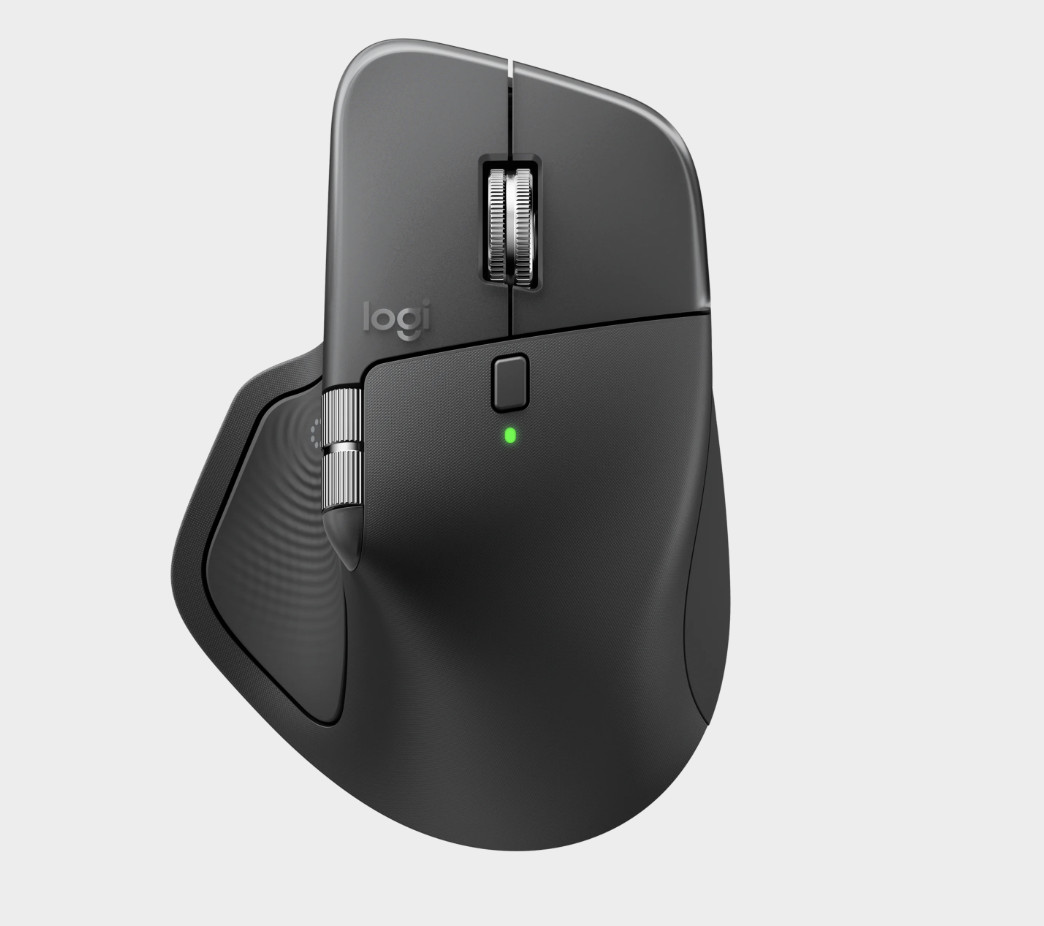
    Logitech MX Master 4


    Share. Facebook Twitter Pinterest LinkedIn Tumblr Email
    Admin
    • Website

    Related Posts

    Denon Home series speakers review: Siri & superior sound

    Google settles racial discrimination lawsuit for $50 million

    Access Denied

    More people are using AI for retirement planning, but how accurate is it? Here’s what experts say.

    Add A Comment
    Leave A Reply Cancel Reply

    Editors Picks

    Electrical fire to keep theater that hosts ‘The Book of Mormon’ closed through May 17

    The 2026 Grammy Award nominations are about be announced. Here’s what to know

    Disease of 1,000 faces shows how science is tackling immunity’s dark side

    Judge reverses Trump administration’s cuts of billions of dollars to Harvard University

    Top Reviews
    9.1

    Review: Mi 10 Mobile with Qualcomm Snapdragon 870 Mobile Platform

    By Admin
    8.9

    Comparison of Mobile Phone Providers: 4G Connectivity & Speed

    By Admin
    8.9

    Which LED Lights for Nail Salon Safe? Comparison of Major Brands

    By Admin
    Sg Latest News
    Facebook X (Twitter) Instagram Pinterest Vimeo YouTube
    • Get In Touch
    © 2026 SglatestNews. All rights reserved.

    Type above and press Enter to search. Press Esc to cancel.
