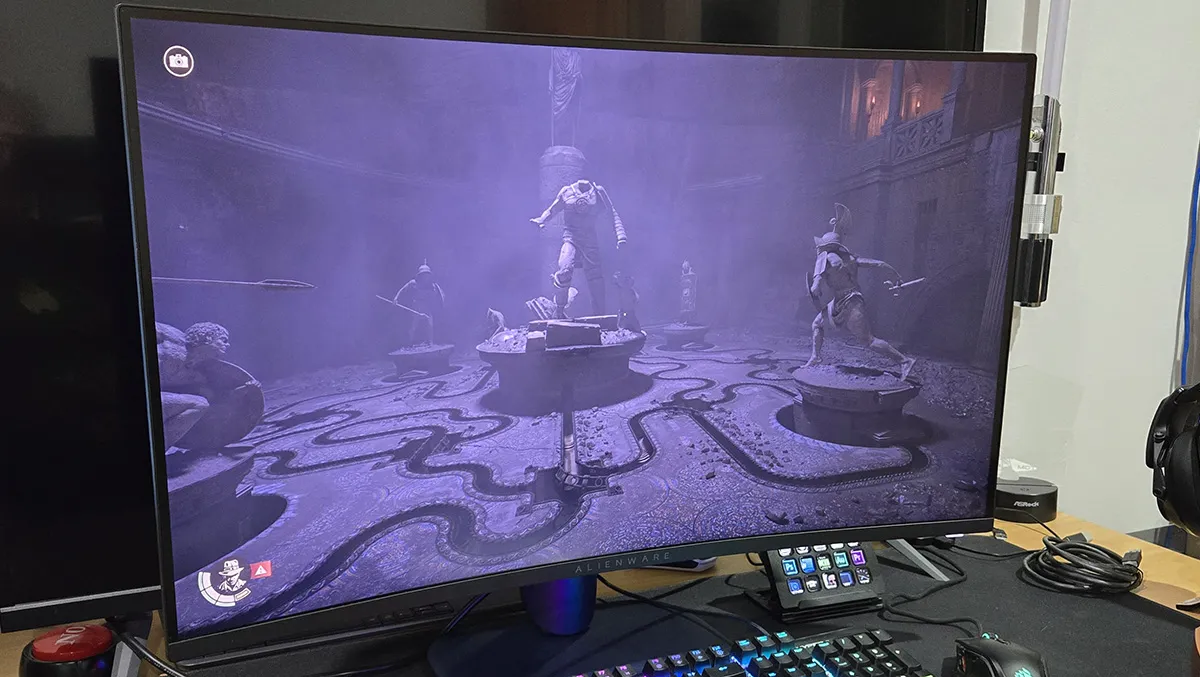
The Dell Alienware AW3225DM is a mid-range 32-inch monitor that punches above its weight, delivering a richer feature set than typical displays in its price bracket.
The monitor has a 31.5″ curved HDR400 VA panel, with a 2560 x 1440 display resolution and an impressive 180Hz refresh rate. Response times peak at an ultra-fast 1ms, ensuring crisp motion clarity for competitive gaming.
I’m not a great fan of curved monitors. I find them a bit gimmicky. Arguably, the larger ones give you more screen real estate for a lower footprint, but I find them even more distorted and distracting. As curved monitors go, though, the AW3225DM’s 1500R display isn’t too dramatic. I hardly noticed it, to be honest. The VESA stand has a reasonably compact footprint with about 200mm of height adjustment and 30 degrees of tilt. So yeah, you do get a lot of screen space in a compact desktop area.
The monitor doesn’t have any built-in speakers. Whilst for most this is no hardship, as monitor speakers tend to be a little below par, it also means that there’s no audio out from your GPU to power an external desktop speaker, so you’ll be using a headset or your PC’s integrated sound chip.
There’s plenty of connectivity. The display has two HDMI sockets and a DisplayPort input, with a picture-in-picture option, if that’s your thing. It also functions as a USB hub with two USB 5Gbps Type-A ports, one of which supports 2.1A battery charging. There’s no KVM support for just the same keyboard and mouse when switching between multiple PCs.
Dell boasts that the monitor has a colour range of 95% of the DCI-P3 RGB standard, supporting 1.07 billion colours. The native contrast ratio is 3,000:1, which is reasonable for a VA monitor.
The monitor is AMD FreeSync/VESA AdaptiveSync compatible. This means that using a variable refresh rate (VRR) the monitor can match the framerate of the source. In games, this eliminates screen tearing from mismatched source framerates and display refresh rates. VRR, has the monitor adjusting to the source (i.e. the GPU) framerate. V-Sync also eliminates screen tearing by slowing down the source and waiting for the monitor’s refresh cycle, potentially creating input lag and performance issues. Whilst not advertised as such, the AW3225DM also works with Nvidia’s G-Sync VRR technology, which you can switch on in the Nvidia app.
On paper, the monitor delivers. But what about in practice?
I am very, very particular when it comes to displays. Nine times out of ten, a monitor will disappoint in some way. I was pleasantly surprised by the AW3225DM.
The panel has a good viewing angle range, with very little difference in contrast. There is no shadowing or backlight bleed, and no dead pixels. I’m used to a 4K monitor, but I only needed to adjust the ClearType settings to get crisp text on the screen. Overall, the display is really good.
The on-screen display option menu is comprehensive and easy to understand. There’s a little clickable joystick on the underside of the monitor, in the middle, that you use to activate the OSD and select options. There are a lot of presets giving you the opportunity to customise the display settings. You can also use the Alienware Command Centre app, which is available for free download from the Dell website, to adjust settings on a game-by-game basis.
If you switch to the “extreme” response time (1ms) setting, there is a bit of ghosting. A bit of unnoticeable compromise will get rid of this. I found the “fast” setting (4ms) to be fine, but you can also set it to “super fast” (2ms), which isn’t too bad.
It’s an HDR400 monitor, which is right at the bottom of what is (or isn’t) high dynamic range. The “smart HDR” option allows you to customise the HDR level for different use cases such as desktop, games and movies. The desktop looked fine in HDR mode, better than on my HDR1000 everyday monitor.
Playing the Indiana Jones and the Great Circle DLC, The Order of Giants showed off the monitor’s HDR capabilities. The HDR may not be as effective as it is with more expensive monitors, but it’s a lot better than SDR, with Indy’s adventures in dark tombs showing off the deep blacks but still being able to see what’s going on.
The image quality is great. The monitor is perfect for gaming with its high refresh rate, but I also found it fine with the likes of Photoshop and across Microsoft’s Office suite. The colours were just right as well, straight out of the box. Of course, if you want to adjust them, it’s easy to do, setting up custom colour profiles in the OSD.
The Alienware 32 Gaming Monitor offers excellent value for money with a mid-range monitor packed with features and customisation, and excellent picture quality. I’d have liked to have seen built-in speakers, but that’s just me. Other than that, I’d have one of these monitors myself. It’s a pretty much flawless display that’s great for gaming and more serious applications.